Loading
Get 91060031
How it works
-

Open form follow the instructions
-

Easily sign the form with your finger
-

Send filled & signed form or save
How to fill out the 91060031 online
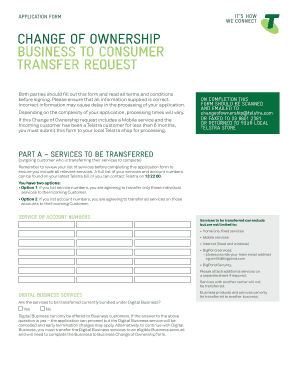
This guide provides a clear and supportive overview of filling out the 91060031 application form for a change of ownership. By following these instructions, users can navigate the online process efficiently and submit their forms accurately.
Follow the steps to successfully complete the form online.
- Click the ‘Get Form’ button to obtain the form and open it in your online editor.
- Begin with Part A, where the outgoing customer should provide a list of services to be transferred. Ensure all services and account numbers listed correctly correspond to those on the latest bill.
- Choose between Option 1 (individual service numbers) or Option 2 (account numbers) for the transfer. Ensure you understand the implications of each option.
- Specify the transfer date for the services, noting that it must be at least 7 working days from the submission date.
- In Part B, fill in the outgoing customer's details, including the business name, ACN/ABN/ABRN, and authorised representative's contact information.
- If a final bill is expected, provide the mailing address for the final bill. Confirm whether you will attach the required Letter of Authorisation.
- In Part C, the incoming customer should indicate if they want the services added to an existing Telstra account or specify details if they do not.
- Complete the necessary personal details for the incoming customer, including identification points. Be sure to attach identification documentation as specified.
- Review all information provided for accuracy before signing the agreement sections for both outgoing and incoming customers.
- Once completed, you can save changes, download, or print the form. Afterward, scan and email it to the designated address or return it to your local Telstra store.
Start the process to complete and submit your 91060031 application online today.
0:05 4:15 GCSE Maths - How to Rearrange Formulas #48 - YouTube YouTube Start of suggested clip End of suggested clip So to get rid of the 4 we take our equation. And just subtract 4 from both sides. Giving us y minusMoreSo to get rid of the 4 we take our equation. And just subtract 4 from both sides. Giving us y minus 4 equals 3x. And to get rid of the 3 we just divide both sides by 3.