Loading
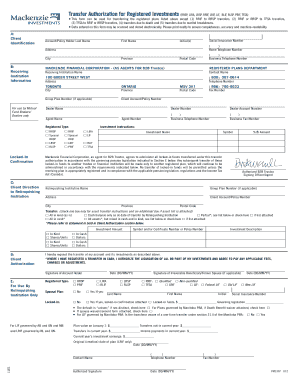
Get Mackenzie Forms
How it works
-

Open form follow the instructions
-

Easily sign the form with your finger
-

Send filled & signed form or save
How to fill out the Mackenzie Forms online
Filling out the Mackenzie Forms online can simplify the process of transferring registered investments. This guide will provide you with clear and detailed instructions to help you complete the form effectively.
Follow the steps to fill out the Mackenzie Forms online
- Press the ‘Get Form’ button to access the Mackenzie Form and open it in your editor.
- Begin with the Client Identification section. Enter your Social Insurance Number, last name, first name, and initial(s). Ensure your address, telephone numbers, city, province, and postal code are accurately filled out.
- Proceed to the Receiving Institution Information section. Input the receiving institution's name, contact name, address, and telephone number. Confirm you include any necessary business details.
- In the Client Direction to Relinquishing Institution section, specify the registered type that applies to your account. Clearly detail your investment instructions, including the investment name, symbol, and amount.
- Complete the Client Authorization section by indicating your preferences for the transfer type and investment. Sign the section to authorize the transfer of your account.
- In the For Use By Relinquishing Institution Only section, ensure all relevant boxes are checked. Include any necessary details regarding the plan value or prior transfer activities.
- After completing all sections, review the form for completeness and accuracy. Be sure that all information is machine-readable. Finally, save your changes, download a copy for your records, or print the form as needed.
Complete your transfer documentation online today to ensure a seamless process.
The semi sneak deer mount (600 series) is one of the most popular taxidermy forms out there. It is a natural-looking mount option, with the neck lowered even further from the semi-upright mount.