Loading
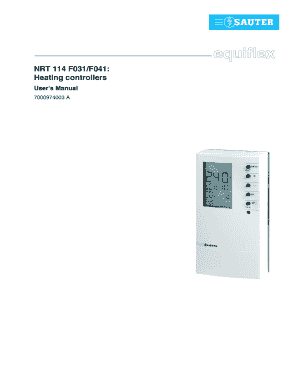
Get Nrt 114 F031f041 Heating Controllers
How it works
-

Open form follow the instructions
-

Easily sign the form with your finger
-

Send filled & signed form or save
How to fill out the NRT 114 F031/F041 Heating Controllers online
This guide provides a comprehensive overview of how to effectively fill out the NRT 114 F031/F041 Heating Controllers form online. Our aim is to empower users, ensuring they have the knowledge and support needed to complete this process with confidence.
Follow the steps to successfully complete your online form.
- Click the ‘Get Form’ button to obtain the form and open it in the editor. This action will allow you to access and begin filling out the necessary details.
- Review the general information section. Make sure you understand the heating controller's capabilities and settings before proceeding. This information is essential for accurate completion of the form.
- Begin with the commissioning settings. Set the language, date, and time according to your local preferences. For language options, you can choose from several available languages such as English, Spanish, or French.
- Select the control model that best suits your heating setup. This is done in the SERVice mode where you can navigate to the parameter for control model selection.
- Proceed to fill in the automatic mode parameters. Specify the required temperature levels, as well as any switching programmes relevant to your usage patterns.
- Next, if manual operation is needed, enable the manual mode. Ensure to set the status of the pump and valve position as required.
- Familiarize yourself with the SERVice parameters available. Make any advanced settings required for your particular application to optimize the performance of the heating controller.
- Once all sections are complete, review the information you have entered for accuracy and consistency. Double-check the temperature settings, control model, and operational parameters.
- Finally, save your changes. You may have options to download your filled form, print it, or share it as needed. Ensure you keep a copy for your records.
Take the next step and complete your NRT 114 F031/F041 Heating Controllers form online today!
Formatting Currency Position the insertion point in the table cell where the number will reside. Press Ctrl+F9 to insert a pair of field braces. Type the equal sign, followed by the number (65.78). Type a space, followed by \# and another space. ... Enter the format specification, in quote marks.
Industry-leading security and compliance
US Legal Forms protects your data by complying with industry-specific security standards.
-
In businnes since 199725+ years providing professional legal documents.
-
Accredited businessGuarantees that a business meets BBB accreditation standards in the US and Canada.
-
Secured by BraintreeValidated Level 1 PCI DSS compliant payment gateway that accepts most major credit and debit card brands from across the globe.