Loading
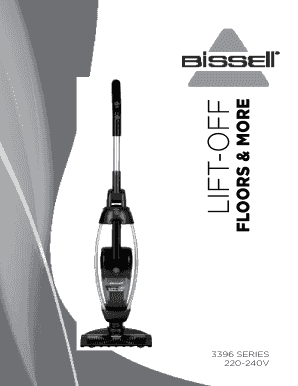
Get Bissell 3396f Floors And More Stickvac Instruction Manual - Godfreys
How it works
-

Open form follow the instructions
-

Easily sign the form with your finger
-

Send filled & signed form or save
How to fill out the Bissell 3396F Floors And More Stickvac Instruction Manual - Godfreys online
This guide provides clear and structured assistance on how to fill out the Bissell 3396F Floors And More Stickvac instruction manual online. Whether you are a first-time user or familiar with vacuum products, these practical steps will help ensure you complete the form effectively.
Follow the steps to complete the instruction manual online.
- Press the ‘Get Form’ button to retrieve the Bissell 3396F Floors And More Stickvac instruction manual.
- Thoroughly read through the introduction section that thanks you for your purchase and provides an overview of the product. Take note of the warranty information as well for future reference.
- Proceed to the 'Important Safety Instructions' section. Carefully review these guidelines to ensure safe operation of the vacuum.
- Familiarize yourself with the 'Product View' section, which outlines important components of the vacuum. This will aid in understanding how to operate the device effectively.
- Move to the 'Assembly' section. Follow the instructions closely to assemble your vacuum without the need for tools.
- Transition to the 'Charging' section. Utilize this information to understand the proper charging procedures for your device.
- Refer to the 'Operations' section for guidance on using the vacuum. This includes turning the vacuum on and off, as well as cleaning different surfaces.
- Consult the 'Maintenance & Care' section. Follow the cleaning, emptying, and filter replacement instructions to maintain your vacuum's performance.
- In the 'Consumer Guarantee' section, review the terms of warranty and ensure you keep the purchase receipt for any future claims.
- Finish by double-checking all filled information and referring to any additional sections if necessary before saving your changes, downloading, printing, or sharing the completed form.
Complete your Bissell 3396F Floors And More Stickvac instruction manual online today!
Locate the brush reset button on the lower back right of the vacuum. Press the button to reset the brushroll To ensure the brush has been reset, plug the vacuum back into the electrical outlet.
Industry-leading security and compliance
US Legal Forms protects your data by complying with industry-specific security standards.
-
In businnes since 199725+ years providing professional legal documents.
-
Accredited businessGuarantees that a business meets BBB accreditation standards in the US and Canada.
-
Secured by BraintreeValidated Level 1 PCI DSS compliant payment gateway that accepts most major credit and debit card brands from across the globe.