Loading
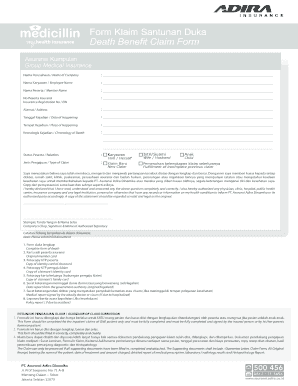
Get Form Rawat Jalan Medicillin
How it works
-

Open form follow the instructions
-

Easily sign the form with your finger
-

Send filled & signed form or save
How to fill out the Form Rawat Jalan Medicillin online
Filling out the Form Rawat Jalan Medicillin online can seem daunting, but with clear guidance, you can complete it efficiently. This guide provides step-by-step instructions to help you navigate each section of the form with confidence.
Follow the steps to complete the form accurately and efficiently.
- Press the ‘Get Form’ button to obtain the form and open it in the editor.
- Begin by entering the name of the company. This field is essential as it identifies the organization associated with the insurance.
- Enter the employee name in the specified field. Ensure the spelling is correct as it will be used for verification.
- Fill in the member name. This refers to the individual who is directly insured under the policy.
- Provide the insurance registration number. This is critical for processing your claim efficiently.
- Next, add the address of the insured person. Accurate contact information is vital for any follow-up.
- Indicate the date of the event. This field should reflect the exact date when the incident causing the claim occurred.
- Specify the place of the event. Mention the location where the incident took place.
- Detail the chronology of the event in the designated area. Make sure to describe the events leading to the claim thoroughly.
- Select the relationship status from the options provided. Choose the one that accurately reflects your connection to the insured.
- Choose the type of claim you are filing, whether it is a new claim or fulfillment of an incomplete previous claim.
- Read the declaration statement carefully, ensuring you understand your rights and responsibilities. Mark your consent as needed.
- Finalize the form by providing the stamp, signature, and name of the authorized signatory if applicable.
- Review your entries for accuracy. Make any necessary edits to ensure all information is correct.
- Once completed, save your changes, then download, print, or share the form as needed.
Complete your Form Rawat Jalan Medicillin online today to ensure timely processing of your claim.
After the third week of the degree-expected term, students can access the MyUCLA Diploma Request feature or use a Diploma Mail Request form to provide diploma release instructions and select a delivery method.