Loading
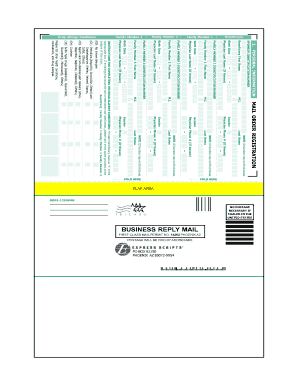
Get 1 Personal Information - Fhinc
How it works
-

Open form follow the instructions
-

Easily sign the form with your finger
-

Send filled & signed form or save
How to fill out the 1 PERSONAL INFORMATION - Fhinc online
Filling out the 1 PERSONAL INFORMATION - Fhinc form online is essential for ensuring accurate submission of personal and family details. This guide provides clear, step-by-step instructions to assist you in completing the form efficiently and accurately.
Follow the steps to successfully complete the form.
- Click 'Get Form' button to access the form and open it in your browser.
- Begin with the 'Sponsor Identification Number' field. Enter the identification number as required, ensuring it is accurate and legible.
- Next, fill in the 'Beneficiary First Name' and 'Last Name' fields with the correct spelling and format. Ensure the information is consistent with official documents.
- Provide the 'Birth Date' in the specified format. Double-check for accuracy to avoid processing delays.
- If known, enter the 'Physician Last Name' and 'Phone Number'. These details are helpful for the processing of prescriptions.
- In the 'Gender' section, select the appropriate designation from the available options.
- For additional family members, repeat the process from steps 3 to 5 for 'Family Member 1', 'Family Member 2', and 'Family Member 3', completing the respective identification number, first name, last name, and birth date fields.
- Complete the 'Drug Allergy Conditions' section by marking an 'X' in the appropriate box for each beneficiary. If other allergies or conditions apply, write them in the provided space.
- Provide your shipping information, ensuring all necessary fields are filled out accurately, including your U.S. postal address.
- In the 'Payment Information' section, specify your payment method, including credit card details, if applicable. Verify all numbers and details to avoid payment issues.
- Sign the form where required, ensuring your signature matches the name printed on the document.
- Review the completed form for accuracy, ensuring all necessary fields are filled out completely. Then, save your changes and proceed to download, print, or share the form as needed.
Take charge of your documentation needs by completing your form online today.
FDD is short for Fast, Direct and Dedicated, the three keystones of Seatrade's logistics concept.
Industry-leading security and compliance
US Legal Forms protects your data by complying with industry-specific security standards.
-
In businnes since 199725+ years providing professional legal documents.
-
Accredited businessGuarantees that a business meets BBB accreditation standards in the US and Canada.
-
Secured by BraintreeValidated Level 1 PCI DSS compliant payment gateway that accepts most major credit and debit card brands from across the globe.