Loading
Get Texas Absentee Ballot
How it works
-

Open form follow the instructions
-

Easily sign the form with your finger
-

Send filled & signed form or save
How to fill out the Texas Absentee Ballot online
This guide provides clear instructions for individuals needing to fill out the Texas Absentee Ballot online. By following these steps, users can ensure that their voting by mail application is completed accurately and submitted on time.
Follow the steps to fill out the Texas Absentee Ballot online.
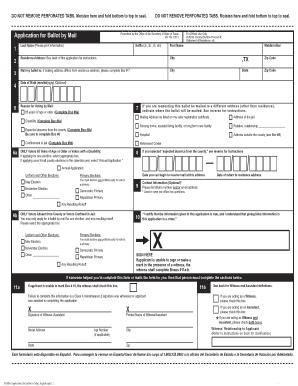
- Click ‘Get Form’ button to obtain the form and open it in the editor.
- Enter your last name as it appears on your voter registration card. Include any suffix (e.g., Jr., Sr., III) as necessary.
- Provide your first name and middle initial.
- Fill in your residence address, including the city, state (TX), and zip code.
- If your mailing address is different from your residence address, complete the section for mailing address, including city, state, and zip code.
- Optionally provide your date of birth in the format mm/dd/yyyy.
- Select the reason for voting by mail from the provided options, which include age, disability, expected absence, or confinement.
- If requesting your ballot to be mailed to a different address, indicate that address and ensure it is correct.
- Complete the contact information section by optionally providing your phone number and/or email address.
- If you are 65 years or older or have a disability, indicate whether you are applying for one election or as an annual applicant.
- You must certify that the information provided is true by signing in the designated section. If unable to sign, ensure a witness signs and fills out their own information.
- After completing the form, you can save your changes, download the completed form, print it, or share it as necessary.
Start your online application for the Texas Absentee Ballot today.
Plan to read your paper several times – each time for a different challenge: Look for sentence fragments and run-on sentences. Check to make sure you have used the correct verb: ... Check that you use pronouns correctly: ... Check for commonly confused words such as their, there, and they're.