Loading
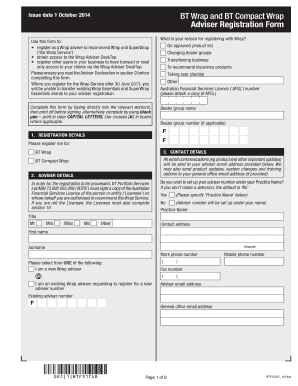
Get Bt Wrap Adviser Registration Form
How it works
-

Open form follow the instructions
-

Easily sign the form with your finger
-

Send filled & signed form or save
How to fill out the Bt Wrap Adviser Registration Form online
The Bt Wrap Adviser Registration Form is essential for registering as a Wrap adviser and obtaining access to the Wrap Adviser DeskTop. This guide provides comprehensive instructions to help users fill out the form online efficiently and effectively.
Follow the steps to successfully complete the Bt Wrap Adviser Registration Form.
- Click 'Get Form' button to obtain the form and open it in your preferred editing tool. This action allows you to access the registration form directly.
- Begin by filling out the Registration Details section. Indicate whether you are registering for BT Wrap or BT Compact Wrap. Make sure to include your Australian Financial Services Licence number and dealer group information.
- Move to the Contact Details section, entering your name, contact address, and preferred communication details, including your adviser email and office email. Ensure all information is accurate to facilitate ongoing communication.
- In the Adviser Details section, indicate whether you wish to set up your adviser number under your Practice Name. Provide the necessary identifiers accurately.
- Proceed to the Fees section where you need to choose how to receive your Advice Related Fees. Specify if you want these fees paid directly to your bank account or to your dealer group, as relevant.
- Complete the External Bank Account Details section if you chose to receive fees directly to your account. Ensure your banking information is accurate to avoid payment issues.
- Fill out the User Access section to register additional users in your business. Specify each user’s access level, ensuring to provide their respective roles accurately.
- Read and understand the Adviser Declaration carefully. This section contains critical information regarding your responsibilities as an adviser.
- Sign and date the form, ensuring to finalize all required sections. Review the entire form to confirm all information provided is correct.
- Once completed, save your changes, then print, download or share the form as necessary based on your submission preferences.
Complete your Bt Wrap Adviser Registration Form online today to gain access to valuable resources and enhance your advising capabilities.
We are also accepting certain forms that can be signed digitally using software such as , RightSignature or Adobe Sign.
Industry-leading security and compliance
US Legal Forms protects your data by complying with industry-specific security standards.
-
In businnes since 199725+ years providing professional legal documents.
-
Accredited businessGuarantees that a business meets BBB accreditation standards in the US and Canada.
-
Secured by BraintreeValidated Level 1 PCI DSS compliant payment gateway that accepts most major credit and debit card brands from across the globe.