Loading
Get Kaleida Health
How it works
-

Open form follow the instructions
-

Easily sign the form with your finger
-

Send filled & signed form or save
How to fill out the Kaleida Health online
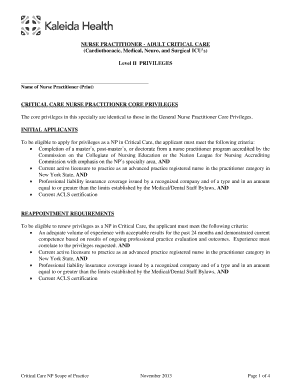
This guide provides clear, step-by-step instructions on how to effectively fill out the Kaleida Health online form for Nurse Practitioner Level II privileges in adult critical care. It is designed to be user-friendly and to support individuals through the process, whether they have prior experience with legal documents or not.
Follow the steps to complete the Kaleida Health form.
- Press the ‘Get Form’ button to access the document and open it for editing.
- Enter your full name in the designated field labeled 'Name of Nurse Practitioner (Print)' at the top of the form.
- Review the 'Critical Care Nurse Practitioner Core Privileges' section to familiarize yourself with the core privileges applicable to your specialty.
- Ensure that you meet the initial applicant requirements by checking the eligibility criteria, such as completing an accredited nurse practitioner program and possessing current active licensure.
- For requesting advanced privileges, provide written documentation of your competence, such as a signed list of procedures you have performed or a case list from the past two years.
- Complete the reappointment section only if you are renewing your privileges, by checking the appropriate box regarding revisions to the Practice Agreement.
- Obtain the necessary signatures of the collaborating physician and the Chief of Service in the designated areas.
- Review the entire form for accuracy and completeness before proceeding to the final actions.
- Once completed, you can save your changes, download a copy, print it out, or share the form as needed.
Complete your Kaleida Health form online today for a seamless process.
Get form
Experience a faster way to fill out and sign forms on the web. Access the most extensive library of templates available.
Buffalo, N.Y. -based Kaleida Health has named Robert Nesselbush CEO, the health system announced Aug. 25.
Get This Form Now!
Use professional pre-built templates to fill in and sign documents online faster. Get access to thousands of forms.