Loading
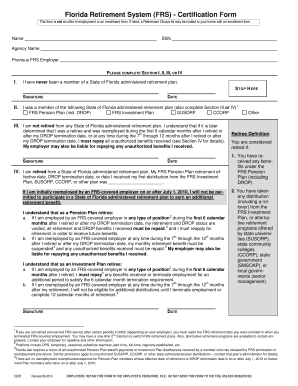
Get (frs) - Certification Form - Florida Retirement System
How it works
-

Open form follow the instructions
-

Easily sign the form with your finger
-

Send filled & signed form or save
How to fill out the (FRS) - Certification Form - Florida Retirement System online
Filling out the Florida Retirement System (FRS) Certification Form is essential for ensuring your retirement benefits are accurately processed. This guide provides clear, step-by-step instructions tailored for all users, enabling a smooth online completion of the form.
Follow the steps to effectively complete the FRS Certification Form online.
- Click ‘Get Form’ button to access the FRS Certification Form and open it in the editor.
- Begin by entering your name and Social Security Number (SSN) in the designated fields. This information is crucial for identifying your record within the retirement system.
- Complete either Section I, II, III, or IV based on your circumstances: If you have never been a member of a Florida retirement plan, select Section I and provide your signature and date.
- If applicable, in Section III, confirm that you are not retired from any Florida administered retirement plan. Acknowledge the conditions related to reemployment and consequences for unauthorized benefits by signing and dating the section.
- After completing the appropriate sections, review all entered information for accuracy. Make any necessary adjustments.
Complete your FRS Certification Form online today to secure your retirement benefits.
If you enrolled in the FRS on or after July 1, 2011, a Regular Class member must be either age 65 and have 8 years of service or have a total of 33 years of service, and a Special Risk member must be either age 60 with at least 8 years of Special Risk service or have a total of 30 years of Special Risk service to ...