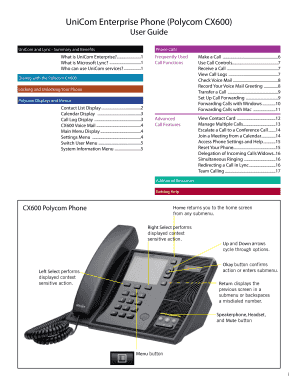
Get Unicom Enterprise Phone (polycom Cx600) - Vanderbilt University ... - Iue
How it works
-

Open form follow the instructions
-

Easily sign the form with your finger
-

Send filled & signed form or save
How to fill out the UniCom Enterprise Phone (Polycom CX600) - Vanderbilt University online
This guide provides a comprehensive overview of how to fill out the UniCom Enterprise Phone (Polycom CX600) form online at Vanderbilt University. It is designed to assist users of all experience levels in completing the necessary fields accurately and efficiently.
Follow the steps to fill out the UniCom Enterprise Phone form online efficiently.
- Click the ‘Get Form’ button to access the form and open it in the editor.
- Familiarize yourself with the form layout. Ensure you have all necessary information at hand, including contact details and any specifics related to your UniCom Enterprise services.
- Proceed to fill out your personal details in the required fields. Ensure that all entries are clear and correspond to the requested information.
- If applying for specific features, navigate to the appropriate sections of the form, such as phone settings or call forwarding options, and provide the requested details.
- Review all filled fields for accuracy. Check for any missed required sections that need to be completed.
- Once all fields are complete, save your changes. Use the options provided in the editor to download, print, or share the form as required.
Complete your UniCom Enterprise Phone form online today to ensure you have the communication tools you need.
0:12 1:42 Polycom VVX 300 & 400 Series Phone - How to Forward Calls YouTube Start of suggested clip End of suggested clip You can set all of your calls to forward to a contact from the home screen by pressing forward.MoreYou can set all of your calls to forward to a contact from the home screen by pressing forward. Select forward to a contact with the d-pad. Press ok you can type in a phone number.
Industry-leading security and compliance
-
In businnes since 199725+ years providing professional legal documents.
-
Accredited businessGuarantees that a business meets BBB accreditation standards in the US and Canada.
-
Secured by BraintreeValidated Level 1 PCI DSS compliant payment gateway that accepts most major credit and debit card brands from across the globe.