Loading
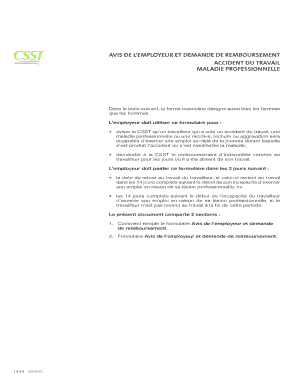
Get Avis De Lemployeur Et Demande De Remboursement
How it works
-

Open form follow the instructions
-

Easily sign the form with your finger
-

Send filled & signed form or save
How to fill out the AVIS DE L EMPLOYEUR ET DEMANDE DE REMBOURSEMENT online
This guide provides a step-by-step approach to filling out the AVIS DE L EMPLOYEUR ET DEMANDE DE REMBOURSEMENT online, ensuring that you complete each section accurately. This document is essential for employers to notify the appropriate authorities about workplace accidents or occupational diseases and to request reimbursement for associated costs.
Follow the steps to complete the form effectively.
- Press the ‘Get Form’ button to access the form and open it for editing.
- Begin with Section 1 'Renseignements sur le travailleur'. Fill in the worker's last name, first name, health insurance number, and social security number. Include their home address, city, province, country, postal code, and telephone numbers.
- In Section 2 'Renseignements sur l employeur', enter the employer's name, address, and contact information. If part of a prevention mutual, include that number and total workers in that establishment.
- Move to Section 3 'Renseignements et description de l événement'. Identify the location of the incident and indicate if any witnesses were present. Describe the event as reported by the worker, including the circumstances and injuries incurred.
- In Section 4 'Renseignements sur le retour au travail', note the date the worker declared the event and their last day of work. Indicate the expected or actual return date.
- Proceed to Section 5 'Renseignements nécessaires au calcul des indemnités'. Provide details such as annual salary, type of contract, and return-to-work arrangements. Specify whether any temporary assignment was offered.
- Complete Section 6 'Calcul et remboursement pour les 14 premiers jours'. Compute the total gross salary lost during the initial 14 days and any deductions customary for the employer.
- After completing all sections, review the form for accuracy, then save your changes. You can then download or print the document before submitting it.
Ensure you file your documents online for accurate and efficient processing.
Vous avez 6 mois pour faire votre réclamation à la CNESST à partir de la date de votre accident.
Industry-leading security and compliance
US Legal Forms protects your data by complying with industry-specific security standards.
-
In businnes since 199725+ years providing professional legal documents.
-
Accredited businessGuarantees that a business meets BBB accreditation standards in the US and Canada.
-
Secured by BraintreeValidated Level 1 PCI DSS compliant payment gateway that accepts most major credit and debit card brands from across the globe.