Loading
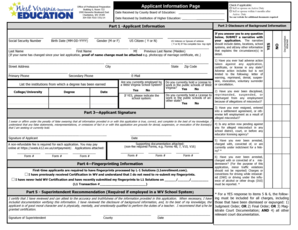
Get Form 19a July 1 2014 - Wvde State Wv
How it works
-

Open form follow the instructions
-

Easily sign the form with your finger
-

Send filled & signed form or save
How to fill out the Form 19A July 1 2014 - Wvde State Wv online
Filling out the Form 19A is an essential process for those seeking initial, renewal, or permanent professional administrative certification in West Virginia. This guide provides a step-by-step approach to ensure you complete each section accurately and effectively.
Follow the steps to complete the Form 19A online.
- Click ‘Get Form’ button to obtain the form and open it in your preferred online editor.
- Begin by filling out the applicant information section. Enter your last name, first name, middle initial, and previous last name if applicable. Indicate your gender (M or F) and whether you are a US citizen or a US veteran/spouse of a veteran.
- Complete your address details including street address, city, state, and zip code. Provide both primary and secondary phone numbers as well as your email address.
- List the institutions from which you have earned degrees. Include the name of the college/university, degree received, and date of completion.
- Indicate your employment status by selecting 'Yes' or 'No' if you are currently employed by a West Virginia school system. If yes, specify the school system.
- State whether you hold a license to work in public schools of West Virginia and/or any other state.
- Sign the application, affirming that all provided information is accurate. Remember to attach any required documentation, such as proof of name change, educational transcripts, or previous licenses.
- If you are a first-time applicant, complete the fingerprinting information section as required. For those with prior certification, indicate if fingerprints were previously submitted.
- Include the superintendent's recommendation if currently employed in a West Virginia school system. Ensure the signature of the superintendent is included.
- Answer the disclosure questions regarding any adverse actions or misconduct. If applicable, attach a narrative explaining any 'Yes' responses.
- Finally, review all entries for accuracy. Once verified, you can save your changes, download the completed form, print it for submission, or share it as needed.
Complete your Form 19A online today to expedite your certification process.
Add CSS Set the vertical-align property to “bottom”, which is consistent across browsers. Set the position property to “relative” to place the element relative to its normal position.
Industry-leading security and compliance
US Legal Forms protects your data by complying with industry-specific security standards.
-
In businnes since 199725+ years providing professional legal documents.
-
Accredited businessGuarantees that a business meets BBB accreditation standards in the US and Canada.
-
Secured by BraintreeValidated Level 1 PCI DSS compliant payment gateway that accepts most major credit and debit card brands from across the globe.