Loading
Get Passerite
How it works
-

Open form follow the instructions
-

Easily sign the form with your finger
-

Send filled & signed form or save
How to fill out the Passerite online
Filling out the Passerite online can seem daunting, but this guide will break down each section of the document to assist users in completing the process easily. This comprehensive overview aims to ensure that users can navigate the form effectively, understanding all necessary details.
Follow the steps to complete the Passerite online form successfully.
- Press the ‘Get Form’ button to access the Passerite document. This will allow you to open the form in your preferred digital editor.
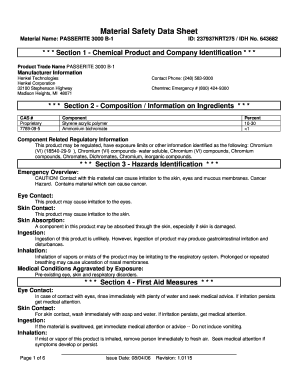
- In Section 1, provide the required identification information including the product trade name, manufacturer details, and contact information. Be precise and ensure all fields are filled accurately.
- Proceed to Section 2 where you will input the composition details of the product, including the CAS numbers, components, and their respective percentages. Verify accuracy as this information is crucial.
- In Section 3, outline the hazards associated with the product. Describe any potential risks such as skin or eye irritation and any chronic health effects.
- Move to Section 4 to detail first aid measures for exposure. Include instructions for eye contact, skin contact, ingestion, and inhalation, ensuring clarity on actions to take in case of exposure.
- Fill in Section 5 regarding fire fighting measures, specifying the flash point, flammability classification, and any necessary fire-fighting instructions to ensure safety.
- In Section 6, outline accidental release measures. Include the containment and clean-up procedures to follow in case of a spill.
- Section 7 requires you to provide handling and storage procedures, highlighting safety precautions necessary to minimize risks.
- Complete Section 8 on exposure controls and personal protection by detailing the required protective equipment and engineering controls.
- Fill out Section 9 which involves the physical and chemical properties. Input necessary details like physical state, odor, and the appearance of the product.
- In Section 10, indicate the chemical stability and reactivity information. Highlight safe chemical practices to follow.
- Section 11 involves documenting toxicological information, including acute and chronic toxicity, and carcinogenicity details.
- Provide ecological information in Section 12, covering toxicity and environmental impact.
- In Section 13, outline disposal considerations to comply with local, state, and federal regulations.
- Complete Section 14 by indicating relevant transportation information as per regulatory requirements.
- In Section 15, record the regulatory information related to federal and state regulations.
- Finally, review the entire document for any errors or omissions. Once satisfied, save your changes, download, print, or share the form as needed.
Start filling out your Passerite document online now to ensure compliance and safety.
Steps: Firstly, select the entire data. Secondly, choose the Insert tab. Thirdly, click on the Insert Column or Bar Chart option. Finally, from the available options, select the Stacked Bar chart.
Industry-leading security and compliance
US Legal Forms protects your data by complying with industry-specific security standards.
-
In businnes since 199725+ years providing professional legal documents.
-
Accredited businessGuarantees that a business meets BBB accreditation standards in the US and Canada.
-
Secured by BraintreeValidated Level 1 PCI DSS compliant payment gateway that accepts most major credit and debit card brands from across the globe.