Loading
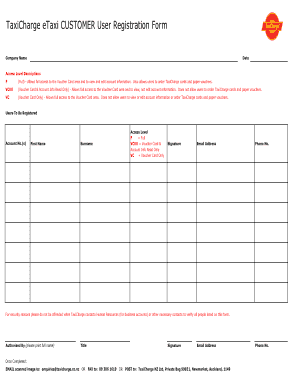
Get Etaxi Customer User Registration Form 4.xlsx - Taxicharge - Taxicharge Datum
How it works
-

Open form follow the instructions
-

Easily sign the form with your finger
-

Send filled & signed form or save
How to fill out the ETaxi CUSTOMER User Registration Form 4.xlsx - TaxiCharge - Taxicharge Datum online
Filling out the ETaxi CUSTOMER User Registration Form is essential for accessing TaxiCharge's services. This guide provides a comprehensive overview of how to complete the form accurately to ensure a smooth registration process.
Follow the steps to successfully complete the user registration form.
- Click the ‘Get Form’ button to obtain the form and open it in your preferred editing tool.
- Begin by entering the company name in the designated field. This helps TaxiCharge identify the organization associated with the registration.
- Fill out the date in the specified format. This date may assist in processing the registration in a timely manner.
- Select the appropriate access level for each user to be registered. You may choose from Full (F), Voucher Card & Account Info Read Only (VCRO), or Voucher Card Only (VC). Ensure that the selected level aligns with the user's needs.
- List the account number(s) corresponding to the users being registered. This ensures an accurate mapping of the user to their respective accounts.
- Provide the first name and surname of each individual to be registered. Accurate names are crucial for account management.
- Gather signatures where required, ensuring all parties validate the information provided.
- Enter the email address and phone number for each user. This contact information is essential for communication regarding the registration.
- The form specifies that TaxiCharge may contact Human Resources or relevant authorities for verification. Be prepared for this to ensure a successful registration.
- Designate an authorized person to approve the registration by printing their full name and title, along with obtaining their signature and email address.
- Once you have completed the form, choose your preferred method of submission: scan and email to enquiries@taxicharge.co.nz, fax to 09 306 1619, or post to the provided address.
Start filling out the ETaxi CUSTOMER User Registration Form online today to access TaxiCharge services!
Here are the following clear steps to do it: Open the word document. Go to Files and then select Options. Move to Customized Ribbon. ... Move to the right window side and then select New Group and click on Add. ... Go to the point where you want to add the drop-down list and now click on Insert from the added field. Now, w.
Industry-leading security and compliance
US Legal Forms protects your data by complying with industry-specific security standards.
-
In businnes since 199725+ years providing professional legal documents.
-
Accredited businessGuarantees that a business meets BBB accreditation standards in the US and Canada.
-
Secured by BraintreeValidated Level 1 PCI DSS compliant payment gateway that accepts most major credit and debit card brands from across the globe.