Loading
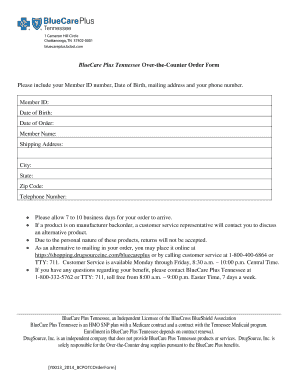
Get Bluecare Plus Over The Counter Catalog
How it works
-

Open form follow the instructions
-

Easily sign the form with your finger
-

Send filled & signed form or save
How to fill out the Bluecare Plus Over The Counter Catalog online
Filling out the Bluecare Plus Over The Counter Catalog online is a straightforward process that ensures you receive the products you need. This guide will provide you with step-by-step instructions to complete the form accurately and efficiently.
Follow the steps to accurately complete the order form.
- Click the ‘Get Form’ button to access the Bluecare Plus Over The Counter Catalog and open it for editing.
- In the top section of the form, enter your personal information, including your Member ID number, Date of Birth, and Member Name. Providing accurate details is essential for order processing.
- Fill in your mailing address, which should include the shipping address, city, state, zip code, and telephone number. This information is necessary for shipment confirmation.
- Refer to your Product Catalog and list the item number, product description, quantity of each product, and their respective prices in the designated fields on the form.
- Ensure that the total amount for all products is calculated and recorded at the bottom of the form.
- Review all entered information for accuracy to avoid delays in processing your order. Once you have verified the information, proceed to submit your order.
- You can save changes to the form, download a copy for your records, print the completed form, or choose to share it as needed.
Begin filling out your documents online today for a seamless experience.
Apply ED if you think the school is your top choice, as 50% of ED applicants get in (v.s. an overall 25% student acceptance rate). On paper Bates, Bowdoin and Colby seem very similar, so visit the campuses to get a feel for the atmosphere.. Bates students are extremely welcoming.