Loading
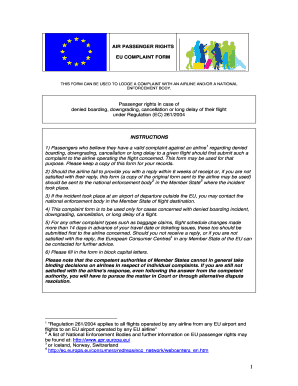
Get Enforcement Body - Balticballoon
How it works
-

Open form follow the instructions
-

Easily sign the form with your finger
-

Send filled & signed form or save
How to fill out the ENFORCEMENT BODY - Balticballoon online
This guide will assist you in filling out the ENFORCEMENT BODY - Balticballoon form online. By following these instructions, you can efficiently submit your complaint regarding denied boarding, downgrading, cancellation, or long delay of your flight.
Follow the steps to complete your complaint form successfully.
- Click ‘Get Form’ button to obtain the form and open it in the editor.
- Begin filling out the 'Complaint submitted by' section, stating your name, address, postcode, city, email, and telephone number.
- In the 'Complaint concerning the following flight' section, provide details such as the airline, ticket number, booking reference, airport of departure, connecting airport (if applicable), date of your flight, scheduled time of departure, scheduled time of arrival, and airports where the incident occurred.
- Complete the 'Passenger details for flight detailed above' section by stating the name of the passenger, indicating if they are an adult, child, or infant, and if special assistance was required.
- Carefully read the definitions provided for long delay, cancellation, denied boarding, and downgrading. Mark the relevant boxes that apply to your complaint.
- Answer the questions regarding the confirmed reservation and check-in status by marking 'Yes' or 'No.' This includes whether the passengers presented themselves at the boarding gate and if they received information about their rights.
- If your flight was delayed or canceled, follow the sections for additional questions regarding assistance received and financial compensation, marking 'Yes' or 'No' as relevant.
- Review and verify all information provided in the form. Ensure accuracy before finalizing.
- Once the form is completed, you can save changes, download, print, or share the form as needed.
Complete your complaint form online now to ensure your rights as a passenger are upheld.
There should be a mark showing which side. if scanning from the glass, face down, because the scanner is looking up from under the glass. if using the ADF (most people use adf for fax for multiple page), face up.