Loading
Get 8721
How it works
-

Open form follow the instructions
-

Easily sign the form with your finger
-

Send filled & signed form or save
How to fill out the 8721 online
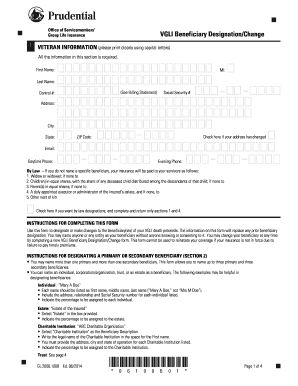
Filling out the 8721 form online is a crucial step for individuals managing their Servicemembers' Group Life Insurance. This guide provides clear, step-by-step instructions to ensure you complete the form accurately and efficiently.
Follow the steps to successfully complete the 8721 form online.
- Click ‘Get Form’ button to obtain the form and open it in the editor.
- Begin with section 1, where you are required to fill in your personal information clearly. Provide your first name, middle initial, last name, control number, and social security number. Ensure your address, city, state, ZIP code, email, and phone numbers are accurately input.
- If applicable, check the box indicating that your address has changed. This ensures your contact information is up-to-date.
- In section 2, designate your primary and secondary beneficiaries. You can include up to three primary and three secondary beneficiaries. Specify their names clearly and include additional details such as relationships, addresses, and social security numbers.
- Indicate the percentage share for each beneficiary. Note that the total percentage for primary beneficiaries must equal 100%.
- If a trust is named as a beneficiary, complete the trust designation section with details about the trustee(s) and the trust agreement title and date.
- Sign and date the authorization section at the end of the form. Remember that your signature date must correspond with the date you physically sign the form.
- After completing all sections of the form, save your changes, download, print, or share the form as needed.
Complete your documents online for a streamlined and efficient process.
Change a beneficiary Generally, you can review and update your beneficiary designations by contacting the company or organization that provides your insurance or retirement plan. You can sometimes do this online. Otherwise, you'll have to complete, sign, and mail a paper form.