Loading
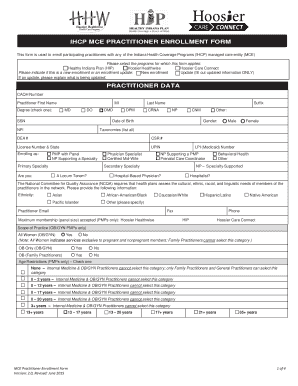
Get Mce Universal Enrollment Form
How it works
-

Open form follow the instructions
-

Easily sign the form with your finger
-

Send filled & signed form or save
How to fill out the Mce Universal Enrollment Form online
Filling out the Mce Universal Enrollment Form online can be a straightforward process when approached step by step. This guide is designed to assist you in completing the form accurately and efficiently, ensuring you fulfill all the necessary requirements for enrollment.
Follow the steps to complete the Mce Universal Enrollment Form online.
- Click the ‘Get Form’ button to obtain the form and open it in your preferred editing tool.
- Begin by selecting the applicable programs for which you are enrolling. This includes options like Healthy Indiana Plan, Hoosier Healthwise, and Hoosier Care Connect. Indicate whether you are submitting a new enrollment or an update.
- Fill in the practitioner data section. Ensure you input your first and last name, degree, CAQH number, Social Security Number, date of birth, and National Provider Identifier (NPI). Indicate your gender and provide your professional taxonomies.
- Provide your primary specialty and any secondary specialties you may hold. It's essential to clarify if you are a physician specialist or a certified midwife.
- Complete the hospital privileges section by stating whether you have hospital privileges and listing the associated hospitals and addresses. If you do not have privileges, document your relationship privileges instead.
- In the primary practice information section, enter the practice group name, the office contact details, and service location address including ZIP + 4 code. It's important to specify if this location will assign membership to this particular practice.
- List any additional practice locations accordingly. Repeat the necessary fields for this section to include other service addresses, contact information, and any other relevant details.
- Review the practitioner/practice disclosures. Clearly state if you or your practice has ever been excluded from Medicaid or Medicare and provide any necessary explanations.
- Complete the attestation and authorization for release of information by providing your printed name, title, signature, and the date. Remember that this section holds legal implications and your commitment to the accuracy of provided information.
- After finishing all sections, be sure to save any changes made. You can download, print, or share the completed form as needed.
Take the next step in your enrollment process by filling out the Mce Universal Enrollment Form online today.
If there are questions about this information, contact EDS Customer Assistance at (317) 655-3240 in the Indianapolis local area or 1-800-577-1278. The quick reference is also available on the IHCP Web site at .indianamedicaid.com.