Loading
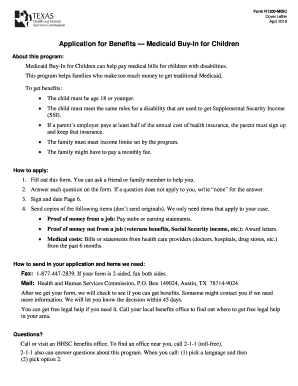
Get The Child Must Be Age 18 Or Younger
How it works
-

Open form follow the instructions
-

Easily sign the form with your finger
-

Send filled & signed form or save
How to fill out the The Child Must Be Age 18 Or Younger online
Completing the The Child Must Be Age 18 Or Younger form online is a straightforward process designed to help families apply for Medicaid benefits for children with disabilities. This guide provides step-by-step instructions to ensure that users can navigate the form with ease and accuracy.
Follow the steps to complete your application effectively.
- Click ‘Get Form’ button to obtain the form and open it in the online editor.
- In the first section, provide the child’s information. This includes their first name, middle initial, last name, social security number, date of birth, and whether they live or plan to stay in Texas.
- Address questions regarding the child's citizenship status. Provide information if the child is a refugee or legally admitted immigrant, and if applicable, their registration number.
- If there are additional children applying for benefits, fill out their details in the same manner as the first child. For every extra child, use additional pages as necessary.
- Moving on to the parent section, provide information about the first parent living with the child, including their name, social security number (optional), and employment details.
- Answer questions regarding the first parent’s health insurance and whether it covers the child. If applicable, note the insurance contribution from the employer.
- Repeat step 5 and step 6 for the second parent, ensuring to fill in all required details.
- In the section concerning siblings, indicate whether any siblings meet the criteria and fill out their information if applicable.
- If other health insurance is applicable, provide the name of the insurance company, policy number, and relevant coverage dates.
- Fill out the section regarding medical bills, indicating if there are any bills from the past three months that may be covered.
- Detail any money not coming from a job in the respective section, along with attached proof of income as required.
- Indicate if there is an authorized representative and provide their details if applicable.
- For those age 17 years and 10 months or older, respond to the voter registration question.
- Review and comply with the legal information and penalty statements assigned in the form.
- Finally, sign and date the form. If the signer is unable to provide a standard signature, ensure two witnesses sign the form.
- Once completed, you can save changes, download, print, or share the form as needed.
Apply online now to ensure you receive the benefits your child may need.
When is a kid not a kid anymore? ... According to the U.S. government, a child officially becomes an adult when they turn 18. That's when they can vote and start paying taxes. But interestingly, even though an 18-year-old can go to war, the government does not consider that person mature enough to drink alcohol.
Industry-leading security and compliance
US Legal Forms protects your data by complying with industry-specific security standards.
-
In businnes since 199725+ years providing professional legal documents.
-
Accredited businessGuarantees that a business meets BBB accreditation standards in the US and Canada.
-
Secured by BraintreeValidated Level 1 PCI DSS compliant payment gateway that accepts most major credit and debit card brands from across the globe.