Loading
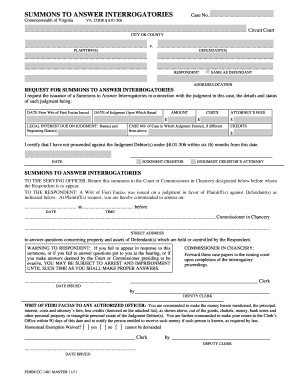
Get Summons To Answer Interrogatories. Cc-1481
How it works
-

Open form follow the instructions
-

Easily sign the form with your finger
-

Send filled & signed form or save
How to fill out the SUMMONS TO ANSWER INTERROGATORIES. CC-1481 online
This guide provides you with clear instructions on how to correctly complete the SUMMONS TO ANSWER INTERROGATORIES. CC-1481 form online. Whether you are new to legal forms or have some experience, this comprehensive resource will assist you in navigating the process smoothly.
Follow the steps to fill out the form correctly.
- Locate the ‘Get Form’ button to obtain the SUMMONS TO ANSWER INTERROGATORIES. CC-1481 form and open it in your preferred editor.
- Enter the case number in the designated field. This number is critical for identifying the specific legal matter to which the summons relates.
- Fill in the name of the city or county where the court is located.
- Specify the names of the plaintiff(s) and defendant(s) in the appropriate spaces provided.
- If applicable, indicate if the respondent is the same as the defendant, ensuring to state their address or location.
- Complete the 'Request for Summons to Answer Interrogatories' section, indicating the necessary details and status of the judgment.
- Detail the dates related to the prior writ and the judgment, as well as the amount, legal interest, costs, and any attorney's fees.
- Certify that you have not proceeded against the judgment debtor(s) within six months, signing and dating the document where indicated.
- Submit the completed form back to the appropriate court or commissioner in chancery as instructed. You may save changes, download, print, or share the form as needed.
Complete your legal documents online today to ensure a smooth process.
However, you can object to interrogatories that call for legal conclusions. You can also object to questions if they are not at all related to the court case. To object, you need to write out the reasons for the objection instead of answering the question.