Loading
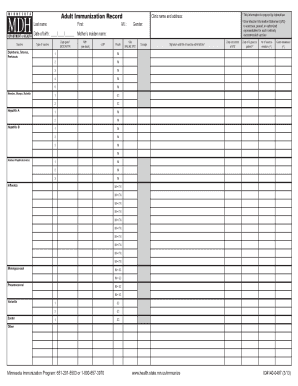
Get Adult Immunization Record - Minnesota Dept. Of Health. Form That Health Care Professionals Can Use
How it works
-

Open form follow the instructions
-

Easily sign the form with your finger
-

Send filled & signed form or save
How to use or fill out the Adult Immunization Record - Minnesota Dept. Of Health. Form That Health Care Professionals Can Use online
The Adult Immunization Record is a vital tool for healthcare professionals to maintain an accurate immunization history for their patients. This guide provides a step-by-step approach to effectively filling out the form online, ensuring compliance with both state and federal requirements.
Follow the steps to effectively complete the form online.
- Press the ‘Get Form’ button to access the Adult Immunization Record form and load it in your editing tool.
- Begin by filling in the patient’s last name, first name, and middle initial in the designated fields.
- Indicate the patient's gender and enter their date of birth along with the mother's maiden name.
- Fill in the clinic's name and address to establish the context of the immunization record.
- Proceed to the vaccine section, listed as 'Vaccine,' and record the type of vaccines administered, including Diphtheria, Tetanus, Pertussis, and others as applicable.
- For each vaccine, enter the date it was given using the month/day/year format, select the type of vaccine from the dropdown, and document the manufacturer's code, lot number, and route of administration.
- Note the site of injection using the right arm (RA), left arm (LA), right thigh (RT), or left thigh (LT), and document the dosage.
- In the section for the signature and title of the vaccine administrator, ensure it is signed by the qualified healthcare provider and include the date of the Vaccine Information Statement (VIS) given to the patient.
- Check the boxes for any history of vaccine reactions and indicate if the vaccine was administered elsewhere.
- Complete additional fields as necessary for any combination vaccines, ensuring to state each antigen included and flag any required federal information.
- After filling in all the pertinent information, review the form for accuracy before saving changes, downloading, printing, or sharing the completed form.
Start filling out the Adult Immunization Record online to maintain accurate immunization histories for your patients.
Related links form
To log in, enter your Org Code... Username… and Password. Then click the Login button. Read the Confidentiality Statement and then click the I Agree button to acknowledge that the unauthorized disclosure of personal, identifiable information is strictly prohibited.
Industry-leading security and compliance
US Legal Forms protects your data by complying with industry-specific security standards.
-
In businnes since 199725+ years providing professional legal documents.
-
Accredited businessGuarantees that a business meets BBB accreditation standards in the US and Canada.
-
Secured by BraintreeValidated Level 1 PCI DSS compliant payment gateway that accepts most major credit and debit card brands from across the globe.