Loading
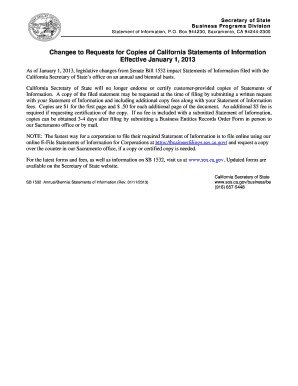
Get For The Latest Forms And Fees
How it works
-

Open form follow the instructions
-

Easily sign the form with your finger
-

Send filled & signed form or save
How to use or fill out the For The Latest Forms And Fees online
Understanding how to fill out the For The Latest Forms And Fees online is crucial for effective document management. This guide provides clear, step-by-step instructions to ensure you complete the form accurately and efficiently.
Follow the steps to fill out the form correctly.
- Click ‘Get Form’ button to obtain the form and open it in the editor.
- Begin by entering the name of the limited liability company exactly as it is recorded with the California Secretary of State in Item 1.
- In Item 2, enter the limited liability company number issued by the California Secretary of State.
- For Item 3, provide the state or place under the laws of which the limited liability company is organized.
- In Item 4, if there has been any change to the last Statement of Information or this is the first statement being filed, complete the form fully. If there are no changes, check the box and move to Item 15.
- Enter the principal office’s complete street address, city, state, and zip code in Item 5. Ensure no P.O. Box addresses are included.
- Item 6 requires the mailing address if it differs from Item 5. Provide the full mailing details without abbreviations.
- If the company is domestic, include the address of the California office in Item 7; for foreign companies, provide the address of the principal business office in California.
- For Item 8, enter the name and complete address of the chief executive officer.
- In Items 9-11, list the names and addresses of any managers or members. Attach additional pages if necessary.
- In Item 12, provide the name of the agent for service of process. If designated, ensure this individual or corporation meets all requirements.
- If an individual is the agent, complete Item 13 with their business or residential address in California. If a corporation is the agent, leave Item 13 blank.
- Describe the general type of business in Item 14.
- Finally, in Item 15, type or print the name and title of the person completing the form and date it.
- Once all fields are completed, review the form for accuracy, then save changes, download, print, or share the completed form as needed.
Begin completing your documents online today for a streamlined filing process.
DHS stated that USCIS would review the fee in the future. DHS now proposes a $215 registration fee based on the results of the FY 2022/2023 fee review.