Loading
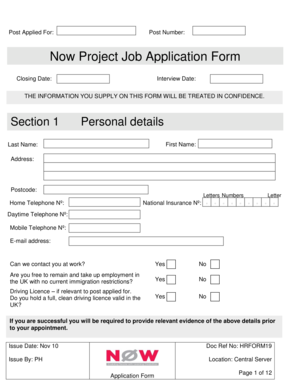
Get Now Project Job Application Form - Communityni - Communityni
How it works
-

Open form follow the instructions
-

Easily sign the form with your finger
-

Send filled & signed form or save
How to fill out the Now Project Job Application Form - CommunityNI - Communityni online
Filling out the Now Project Job Application Form is a critical step in applying for your desired position. This guide will provide you with comprehensive instructions to complete the form accurately and effectively.
Follow the steps to successfully complete your job application form.
- Click the ‘Get Form’ button to access the Now Project Job Application Form. Open it in your preferred document editor.
- Begin by filling out the Personal Details section. Provide your first name, last name, address, postcode, and contact telephone numbers. Also, include your email address and indicate whether you can be contacted at work.
- In the Present Employment section, input details about your current job. If you are unemployed, include information about your last employer. Be sure to list your job title, salary, department, and a brief summary of your duties.
- Complete the Previous Employment section. List your previous employers within the last ten years, along with details such as job titles, dates of employment, and reasons for leaving.
- In the Education section, enter your highest qualifications, including those from schools, colleges, or universities. This includes listing courses taken and qualifications earned.
- Detail any relevant Training and Development you have undertaken, including formal courses and any on-the-job training.
- Use the Personal Statement section to demonstrate how your skills and experiences align with the position you are applying for. This is an important section to convey your suitability.
- If applicable, address the Rehabilitation of Offenders Act section, acknowledging if you have any convictions that may affect your application.
- Complete the Protecting Children and Vulnerable Adults section if your position requires a criminal records check.
- Answer the Disability Discrimination Act section. If you have a disability, consider providing details about any specific arrangements you may need for the interview.
- Fill out the Health section, indicating any sickness absence in the last two years.
- Provide references from your two most recent employers in the References section, ensuring to include their names, job titles, and contact information.
- Complete the Declaration section by affirming that all information provided is accurate and signing the form. Make sure to date your signature.
- Finally, save your changes and choose either to download, print, or share the form as required.
Take the first step towards your new career by completing your application form online today.
How to structure an effective job application form Name of applicant. Contact information (phone and email) Education. Work experience. Professional references (optional) Availability (e.g., weekends, night shift) Applicant's signature and date.
Industry-leading security and compliance
US Legal Forms protects your data by complying with industry-specific security standards.
-
In businnes since 199725+ years providing professional legal documents.
-
Accredited businessGuarantees that a business meets BBB accreditation standards in the US and Canada.
-
Secured by BraintreeValidated Level 1 PCI DSS compliant payment gateway that accepts most major credit and debit card brands from across the globe.