Loading
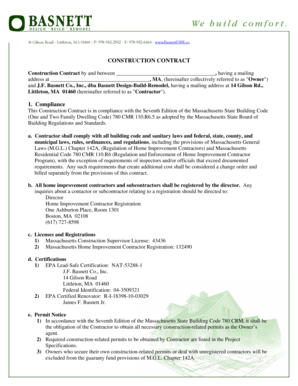
Get Construction Bcontractb - Basnett Design-build-remodel
How it works
-

Open form follow the instructions
-

Easily sign the form with your finger
-

Send filled & signed form or save
How to fill out the Construction Contract - Basnett Design-Build-Remodel online
Filling out the Construction Contract for Basnett Design-Build-Remodel can seem daunting, but this guide will simplify the process. By following these step-by-step instructions, you can complete the contract accurately and efficiently, ensuring all requirements are met.
Follow the steps to fill out the Construction Contract with ease.
- Click ‘Get Form’ button to obtain the document and open it in your preferred online editor.
- Begin by filling in the owner's name and mailing address at the designated fields. Ensure that all information is accurate and current as this identifies you in the contract.
- Next, enter the contractor's information, which includes the name J.F. Basnett Co., Inc., dba Basnett Design-Build-Remodel, along with the mailing address 14 Gilson Rd., Littleton, MA 01460.
- In the compliance section, review the regulatory requirements listed. Confirm that you understand the implications of these regulations for both the contractor and the owner.
- Fill in the scope of work section, detailing the specific tasks to be completed by the contractor as outlined in the project specifications.
- Specify the contract price in the designated section, ensuring to double-check for accuracy to avoid disputes later.
- Complete the payment terms section, noting the progressive payment schedule and any conditions regarding late payments.
- Review the modification section and note that no changes can be made without mutual consent. Acknowledge this by initialing or signing as required.
- Final checks should be made on all fields, ensuring no blanks are present. Only proceed if all information is complete.
- Once you have completed the form, you can save your changes, download the document, print it for signature, or share it as needed.
Start completing your construction documents online today for a smooth contracting experience.