Loading
Get Emailail
How it works
-

Open form follow the instructions
-

Easily sign the form with your finger
-

Send filled & signed form or save
How to fill out the Emailail online
The Emailail is an essential form used for managing asset transfers and account updates. This guide provides clear, step-by-step instructions to help users complete the Emailail effectively and confidently.
Follow the steps to fill out the Emailail online:
- Click the ‘Get Form’ button to access the Emailail and open it in the online editor.
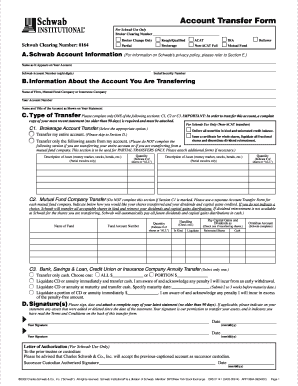
- In section A, enter your account information. Fill in your name as it appears on your account, your Schwab account number (eight digits), and your Social Security number.
- Move to section B. Here, provide information about the account you are transferring, including the name of the firm or company, your account number, and the name and title of the account as it appears on your statement.
- In section C, choose the type of transfer and complete only one of the following subsections: C1 for brokerage account transfers, C2 for mutual fund transfers, or C3 for bank or insurance company transfers. Fill in the required information for your selected subsection.
- If you selected C1, indicate how you want your assets transferred. Specify any assets you want to partially transfer if applicable. In C2, indicate fund details including the name of the fund and the quantity of shares. For C3, indicate the amount of cash you wish to transfer or specify instructions for liquidating assets.
- In section D, sign and date the form. Attach a complete copy of your latest statement (no older than 90 days). Ensure you indicate any changes in assets on the attached statement.
- Review the completed Emailail for accuracy. Save your changes and choose to download, print, or share the form accordingly.
Complete your documents online with confidence!
Cheerful.com (mail.com) provides IMAP access to your Cheerful.com (mail.com) account, so you can connect to your email from mobile devices and desktop email clients.