Loading
Get Approved Omb
How it works
-

Open form follow the instructions
-

Easily sign the form with your finger
-

Send filled & signed form or save
How to fill out the Approved OMB online
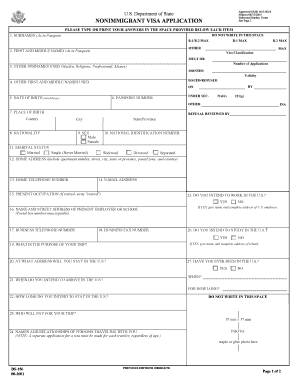
Filling out the Approved OMB form is an essential step in the nonimmigrant visa application process. This guide will walk you through each section of the form, providing clear instructions to help you complete it accurately and efficiently.
Follow the steps to successfully complete the form online.
- Click the ‘Get Form’ button to access the Approved OMB form and open it in your online document editor.
- Begin with section 1 where you will enter your surnames as they appear in your passport. Ensure accuracy as this is critical for identity verification.
- Proceed to section 2 to input your first and middle names, also as they appear in your passport. This section often requires mentioning the visa classification.
- Complete section 3 by indicating any other surnames you have used, such as maiden names or aliases.
- In section 4, provide any other first and middle names you have used.
- Fill out section 5 with your date of birth in the format mm-dd-yyyy.
- Enter your passport number in section 6, which should match the document you are using for travel.
- In section 7, provide your place of birth, specifying the city, state or province, and country of origin.
- Section 8 requires you to disclose your nationality.
- Complete section 9 by selecting your sex, with options for male or female.
- Section 11 asks for your marital status. Choose the option that applies to you.
- Input your home address in section 12, making sure to include all necessary details such as apartment number, street, city, state or province, postal code, and country.
- Enter your home telephone number in section 13.
- Complete section 14 with your email address.
- In section 15, input your present occupation, or indicate if you are retired.
- Section 16 requires the name and address of your current employer or school, making sure a postal box number is not used.
- Enter your business telephone number in section 17 and optionally, include your business fax number in section 18.
- Address the intention to work in the U.S. in section 25. If applicable, provide the employer's details.
- Indicate whether you intend to study in the U.S. in section 26, and provide the institution's details if required.
- In sections 19 through 22, specify your trip's purpose, the address where you plan to stay, your intended arrival time, and duration of stay.
- Mention who will be covering your trip costs in section 23 and list the names and relationships of anyone traveling with you in section 24.
- Following these sections, answer questions about previous U.S. visa issuance or refusals in sections 28 through 31.
- In section 32, indicate if anyone in the U.S. has a legal status related to you.
- Review the important questions in section 33 to determine your eligibility and check the appropriate boxes.
- Complete section 34 if someone else prepared the application, providing their details.
- Finally, in section 36, certify the accuracy of your answers and provide your signature along with the date of signing.
- Once completed, ensure to save your changes, and you may choose to download, print, or share the form as needed.
Take control of your visa application by completing the Approved OMB form online today!
OMB review timeline and process OMB typically reviews ICR packages within sixty days, from the date of submission or publication of the 30-day Federal Register notice (whichever is later), but can take longer in some circumstances. During this time, your ICR package should be reviewed by an OIRA desk officer.