Loading
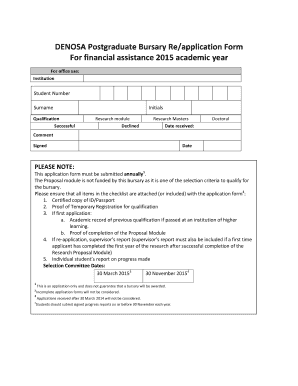
Get Bursary Application Form
How it works
-

Open form follow the instructions
-

Easily sign the form with your finger
-

Send filled & signed form or save
How to fill out the Bursary Application Form online
This guide provides a detailed walkthrough for users looking to complete the Bursary Application Form online. By following these instructions, users can ensure they submit a comprehensive application for financial assistance.
Follow the steps to complete your Bursary Application Form online:
- Click the ‘Get Form’ button to obtain the Bursary Application Form and open it for editing.
- Begin with Section A: Personal Particulars. Fill in your surname, title, first names, gender, nationality, race, and contact information including physical address, postal address, home telephone, cell phone, fax, and email address. Ensure to attach a certified copy of your identification document.
- Proceed to Section B: Academic Details. Attach your academic record for studies undertaken prior to the application year. Indicate your level of study for which funding is requested by selecting Masters (by Coursework or Full Research) or Doctoral. Provide a dissertation/thesis title or brief outline of your proposed research and briefly state how your research will assist DENOSA in achieving its organizational goals. You will also need to include your supervisor's details.
- Next, complete Section C: Financial Disclosure. Indicate if you have received or applied for funding from other sources in the past, providing details if applicable. Remember, students with existing funding will not be considered for this bursary.
- In Section D: Declaration by Student, read through the conditions of the award carefully. Confirm your understanding by signing and dating the declaration.
- If applicable, fill out Section E: Postgraduate Studies in Progress with the supervisor's report. Ensure your supervisor assesses your progress and indicates their recommendation for the bursary.
- Complete Section F: Postgraduate Studies Student Report. Reflect on your own progress during the previous academic year and provide any reasons for unsatisfactory progress if needed.
- Refer to Section G: Bursary Criteria to ensure that you meet all eligibility criteria. Double-check for any required supporting documents mentioned in the checklist.
- Finally, review the entire application form for completeness. Save any changes, and you can download, print, or share your completed application form as needed.
Submit your completed Bursary Application Form online and take the next step toward financial assistance.
Register for the Sasol online application profile. Complete all required information from your online Sasol profile page to be allowed to submit your bursary application. Send your application by clicking on the submit application form navigation.
Industry-leading security and compliance
US Legal Forms protects your data by complying with industry-specific security standards.
-
In businnes since 199725+ years providing professional legal documents.
-
Accredited businessGuarantees that a business meets BBB accreditation standards in the US and Canada.
-
Secured by BraintreeValidated Level 1 PCI DSS compliant payment gateway that accepts most major credit and debit card brands from across the globe.