Loading
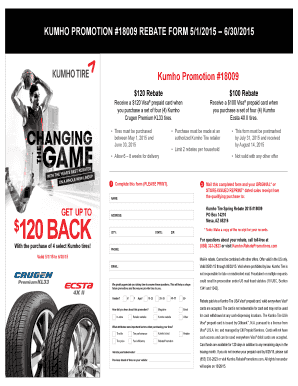
Get 100 Back - Cheap Tires Online
How it works
-

Open form follow the instructions
-

Easily sign the form with your finger
-

Send filled & signed form or save
How to fill out the 100 BACK - Cheap Tires Online online
Navigating online forms can be a straightforward process when you have clear guidance. This guide aims to assist users in successfully completing the 100 BACK - Cheap Tires Online form while ensuring all necessary details are accurately captured.
Follow the steps to complete the form online effectively.
- Press the ‘Get Form’ button to access the form and open it in your preferred document editor.
- In the 'Name' field, enter your full name as it appears on your official documents.
- Fill out your complete address, including street name, apartment number (if applicable), city, state, and ZIP code.
- In the 'Phone' section, provide a valid contact number where you can be reached.
- If applicable, enter your email address for any confirmations or additional information.
- Indicate your gender by selecting the appropriate option, either Male or Female.
- Select your age range by choosing one of the provided categories.
- Describe how you heard about this promotion by selecting from the given options.
- Provide your vehicle's year, make, and model in the designated section.
- Indicate the previous brand of tires you had on your vehicle.
- Select the attributes that were important factors when purchasing your tires.
- Review all entered information for accuracy before saving or printing the form.
- Once completed, proceed to save changes, download, print, or share the form as per requirements.
Complete your forms online today for efficiency and convenience.
Buy in the fall when you see Black Friday tire deals. Black Friday is a great time to buy tires, as many retailers offer a better deal than anything you'd see the rest of the year. If you can wait to buy during this time, do it.