Loading
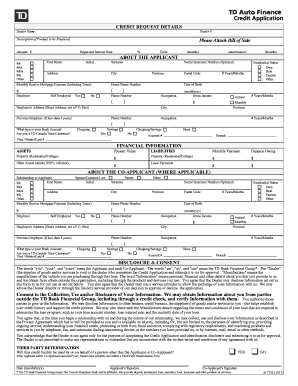
Get Download Form App Yamaha Motor
How it works
-

Open form follow the instructions
-

Easily sign the form with your finger
-

Send filled & signed form or save
How to fill out the Download Form App Yamaha Motor online
This guide provides you with clear, step-by-step instructions on how to successfully fill out the Download Form App Yamaha Motor online. Whether you are familiar with online forms or new to the process, this guide aims to support you through each section of the form.
Follow the steps to effectively complete the online form.
- Click the 'Get Form' button to obtain the form and open it in your preferred online editor.
- Begin by filling out the dealer information. Enter the dealer name and dealer number in the respective fields provided.
- Describe the product you wish to finance by entering the relevant details in the designated section.
- Attach the bill of sale as specified in the instructions within the form.
- Indicate the amount you are looking to finance by entering the figure in the allocated box.
- Fill in your requested interest rate and the term of the loan in months in the corresponding fields.
- Provide your personal details. Select your title from the options available, then enter your first name, initial, surname, and address.
- Optional: Provide your social insurance number, city, province, and monthly rent or mortgage payment details.
- Enter your home phone number and employment status. Complete the section about your occupation and income by adding your gross income details.
- Fill out the financial information section, detailing your assets and liabilities, including property and other assets.
- If applicable, provide details about a co-applicant, including their relationship to you, personal information, and financial details.
- Review the disclosure and consent section, ensuring you understand the implications of sharing your information and consent to the processing of your application.
- Sign the application by providing your signature and the date. If there is a co-applicant, ensure they also sign and date.
- After completing all sections, ensure to save your changes, then download, print, or share the completed form as required.
Start filling out the Download Form App Yamaha Motor online now to streamline your financing process.
0:45 4:22 And on the app to perform the pairing of the vehicle turn it on. Okay. It's on click on ok allow.MoreAnd on the app to perform the pairing of the vehicle turn it on. Okay. It's on click on ok allow. And it's connected yamaha y connect all of that. Data is here visible. And click on start.