Loading
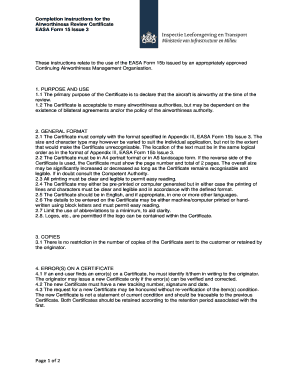
Get Instruction Arc Easa Form 15 Issue 3_tcm334-337169.pdf
How it works
-

Open form follow the instructions
-

Easily sign the form with your finger
-

Send filled & signed form or save
How to fill out the Instruction ARC EASA Form 15 Issue 3_tcm334-337169.pdf online
Filling out the Instruction ARC EASA Form 15 Issue 3 online can enhance efficiency and accuracy in documenting airworthiness. This guide provides clear, step-by-step instructions to assist users in completing the form correctly and effectively.
Follow the steps to successfully complete the form online.
- Click the ‘Get Form’ button to obtain the form and open it in the online editor.
- In the block marked [MEMBER STATE], enter the country of the competent authority under whose jurisdiction this Certificate is issued.
- For the [ARC reference] block, input the unique reference number assigned by the organisation's numbering system.
- In the [Name of Organisation and Address] block, provide the full name and address of the approved organisation, including the country.
- For the [Approval reference], enter the Part-M.A subpart G Approval number listed on the EASA Form 14.
- In the [Aircraft manufacturer] block, input the manufacturer's name as listed on the Certificate of Airworthiness of the applicable aircraft.
- For the [Manufacturer’s designation], enter the aircraft type or model as specified in the Certificate of Airworthiness.
- In the [Aircraft registration] block, enter the aircraft registration as it appears on the relevant Certificate of Airworthiness.
- For the [Aircraft serial number], provide the serial number of the aircraft based on the Certificate of Airworthiness.
- In the block labeled [Date of issue], enter the date when the airworthiness review was satisfactorily completed, formatted as dd-mmm-yyyy.
- For [Date of expiry], specify the expiration date of the certificate, making sure it follows the same dd-mmm-yyyy format.
- In the [Signed] block, enter the name and signature of the authorized person, ensuring that only those specifically authorized can sign.
- In the final block labeled [Authorisation No.], input the unique reference number of the person signing the certificate.
- Once all fields are correctly filled, users can save the changes, download the document, print it, or share it as necessary.
Complete your documents online today for improved efficiency.
The EASA Form 1 identifies the airworthiness status of an aircraft component in relation to the work being certified. AMC1 M.A.501(a)(1) Classification and installation - EASA europa.eu https://.easa.europa.eu › downloads europa.eu https://.easa.europa.eu › downloads
Industry-leading security and compliance
US Legal Forms protects your data by complying with industry-specific security standards.
-
In businnes since 199725+ years providing professional legal documents.
-
Accredited businessGuarantees that a business meets BBB accreditation standards in the US and Canada.
-
Secured by BraintreeValidated Level 1 PCI DSS compliant payment gateway that accepts most major credit and debit card brands from across the globe.