Loading
Get 2015 Ce Cycle Summary Form - Ncra-usa
How it works
-

Open form follow the instructions
-

Easily sign the form with your finger
-

Send filled & signed form or save
How to fill out the 2015 CE Cycle Summary Form - Ncra-usa online
Filling out the 2015 CE Cycle Summary Form is a crucial step in reporting your continuing education activities. This guide provides clear, step-by-step instructions to ensure you complete the form accurately and efficiently.
Follow the steps to fill out your CE Cycle Summary Form online.
- Click the ‘Get Form’ button to access the form and open it for editing.
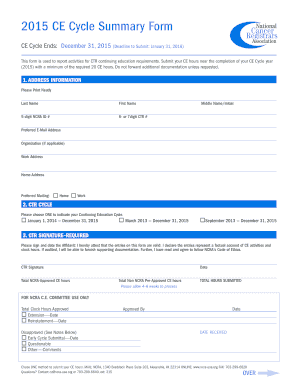
- In the address information section, provide your last name, first name, middle name or initial, NCRA ID number, CTR number, preferred email address, organization (if applicable), work address, and home address. Indicate your preferred mailing address by checking either 'home' or 'work.'
- Select one option from the CTR cycle section to indicate your continuing education cycle. Choose between January 1, 2014 — December 31, 2015, March 2013 — December 31, 2015, or September 2013 — December 31, 2015.
- In the CTR signature section, sign and date the affidavit confirming the validity of the form entries. Include your total NCRA-approved CE hours and total non-NCRA approved CE hours. Ensure that the total hours submitted are accurate.
- If applicable, complete the NCRA pre-approved activity sheet for activities with approval numbers, listing the start and end dates, activity title, location, and CE hours awarded.
- For non-NCRA pre-approved activities, complete the respective sheet by providing the necessary details such as activity dates, whether it relates to the cancer registry, title, location, and CE hours.
- Once all sections are filled out accurately, review the information for correctness. Users can then save changes, download, print, or share the completed form for submission.
Complete your 2015 CE Cycle Summary Form online today to ensure timely submission!
The selected questions are organized by four Domains of cancer registry competencies as identified by the Council on Certification. The passing score within each domain is 70 percent.