Loading
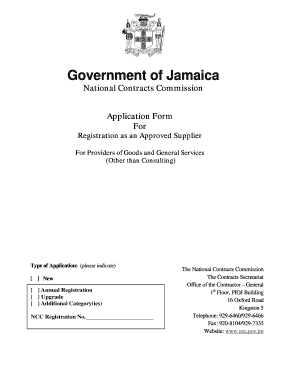
Get National Contracts Commission - Office Of The Contractor General - Ocg Gov
How it works
-

Open form follow the instructions
-

Easily sign the form with your finger
-

Send filled & signed form or save
How to fill out the National Contracts Commission - Office Of The Contractor General - Ocg Gov online
This guide provides a clear and comprehensive overview of the process for filling out the National Contracts Commission application form online. Designed for users with varying levels of experience, this step-by-step approach ensures you can navigate the form effectively and submit your application with confidence.
Follow the steps to accurately complete your application form.
- Press the ‘Get Form’ button to access the application form and open it in your preferred editor.
- Begin by selecting the type of application you are submitting. Indicate if this is a new application, an annual registration, an upgrade, or an additional category by checking the appropriate box.
- Fill in your company's name exactly as it appears on official documents. Ensure you provide the address where your business is located.
- Enter your Business Registration Number and the date when your business was officially registered.
- Provide your Tax Registration Number (TRN) and attach any necessary Tax Compliance Certificates (TCC) or similar documents.
- Fill in your General Consumption Tax (GCT) registration number and contact details, including telephone and mobile numbers.
- Indicate the number of years your business has been operational and include an email address where you can be contacted.
- For each owner or director, provide their name, title, TRN, and contact information. You may need to use additional sheets if there are multiple individuals.
- Enter the home addresses and telephone numbers for each of the owners or managing directors.
- Declare whether your business is insured and provide the name and contact details of the insurance company if applicable.
- List your banking details, including the name of the bank, contact number, and branch address.
- Provide at least two business references that your company has supplied services or goods to, including their contact information.
- Attach all required documents, such as copies of your certificates, trade references, and any other necessary documentation as specified.
- Review the completed application for errors. After ensuring everything is accurate, save the changes. You may then download, print, or share your form as needed.
Start completing your application for registration as an approved supplier online today!
Related links form
USASpending.gov tracks government spending through contracts awarded. This searchable database contains information for each federal contract. You can use this information to help identify procurement trends within the government and potential opportunities.
Industry-leading security and compliance
US Legal Forms protects your data by complying with industry-specific security standards.
-
In businnes since 199725+ years providing professional legal documents.
-
Accredited businessGuarantees that a business meets BBB accreditation standards in the US and Canada.
-
Secured by BraintreeValidated Level 1 PCI DSS compliant payment gateway that accepts most major credit and debit card brands from across the globe.