Loading
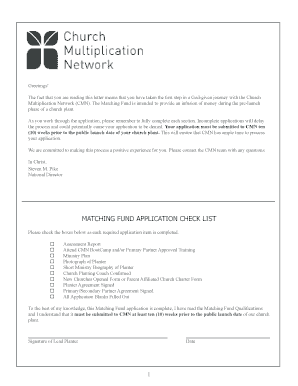
Get Matching Fund Application Check List - Ag Web Services - Agchurches
How it works
-

Open form follow the instructions
-

Easily sign the form with your finger
-

Send filled & signed form or save
How to use or fill out the Matching Fund Application Check List - AG Web Services - Agchurches online
This guide provides comprehensive instructions on how to effectively complete the Matching Fund Application Check List for AG Web Services, specifically designed for church plants. By following these steps, users can ensure their applications are thorough and submitted in a timely manner.
Follow the steps to successfully complete the Matching Fund Application Check List.
- Press the ‘Get Form’ button to access the application form and open it in your preferred online editor.
- Begin with the Matching Fund Application Check List section. Here, ensure each required item is checked off as completed. Items include assessment reports, training attendance, and other essentials.
- Fill in the planter information fields accurately, including new church name, legal name, preferred name, date of birth, and contact information. Providing a complete mailing address and email is essential.
- Input details for the primary partner, including the name of the individual or organization, contact information, and the amount of funds they are providing.
- Complete the secondary partner information for up to three partners. Provide their names, addresses, contact details, and funding amounts as applicable.
- Answer the qualification information questions comprehensively. Include dates of credential receipt, assessment completion, and ministry plan completion, attaching necessary documents as specified.
- Review and verify that the planter agreement and partner agreement sections are filled out and signed by the respective individuals, ensuring understanding of the terms.
- Final reviews should include confirming all application blanks are filled out completely and accurately before saving the document.
- Once satisfied with the application, you can save the changes, and if needed, download a copy, print it out, or share it with relevant partners.
Take the next step and complete your Matching Fund Application online today!
Industry-leading security and compliance
US Legal Forms protects your data by complying with industry-specific security standards.
-
In businnes since 199725+ years providing professional legal documents.
-
Accredited businessGuarantees that a business meets BBB accreditation standards in the US and Canada.
-
Secured by BraintreeValidated Level 1 PCI DSS compliant payment gateway that accepts most major credit and debit card brands from across the globe.