Loading
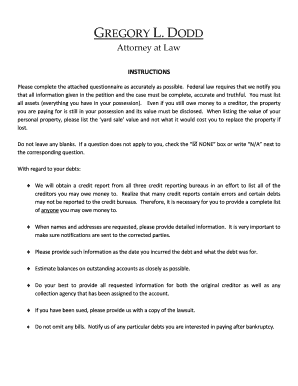
Get Debtor Intake Form Instructions.doc
How it works
-

Open form follow the instructions
-

Easily sign the form with your finger
-

Send filled & signed form or save
How to use or fill out the DEBTOR INTAKE FORM INSTRUCTIONS.doc online
Filling out the debtor intake form can appear daunting, but with careful attention to detail, you can complete it accurately online. This guide provides step-by-step instructions to ensure you thoroughly fill out the form.
Follow the steps to complete the form online effectively.
- Click the ‘Get Form’ button to obtain the debtor intake form and open it in your preferred online editor.
- Begin with the debtor's identification section. Enter your first name, middle name (if applicable), and last name. If you have used any other names in the last eight years, include those as well.
- Provide your Social Security Number, and ensure that you list all numbers if more than one applies. Include your current street address and any additional mailing address if different.
- Complete the contact information section, providing your home, work, and cellular phone numbers. Include an email address for communications.
- Indicate your date of birth and confirm whether you can receive communications via email.
- Address any prior bankruptcy filings by indicating yes or no and provide details if applicable.
- Fill out your marital status and whether you have lived in your current county for the last 180 days.
- In the section regarding financial details, provide your real property information if applicable, followed by the personal property section. Be sure to disclose all assets and their estimated values.
- List your debts next, ensuring that all relevant creditors are mentioned. Provide accurate details including balances and any relevant account information.
- After completing all sections, review the entire form for completeness and accuracy. Ensure that no blanks are left and check the ‘NONE’ box or write ‘N/A’ for questions that do not apply.
- Once you are satisfied with your input, save any changes you made, and download, print, or share the form as needed.
Start filling out your debtor intake form online now to streamline your bankruptcy process.
Intake forms can be made in Word by following these steps: Step 1 : Open Microsoft Word. Step 2 : Make a new document. Step 3: Add form fields. Step 4: Customize the details of the form. Step 5: Keep the form safe. Step 6: Send it out and save it.
Industry-leading security and compliance
US Legal Forms protects your data by complying with industry-specific security standards.
-
In businnes since 199725+ years providing professional legal documents.
-
Accredited businessGuarantees that a business meets BBB accreditation standards in the US and Canada.
-
Secured by BraintreeValidated Level 1 PCI DSS compliant payment gateway that accepts most major credit and debit card brands from across the globe.