Loading
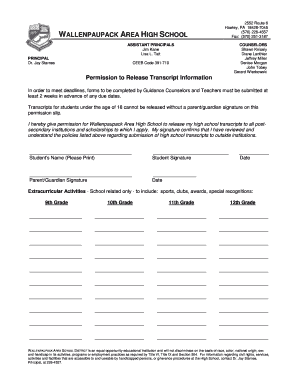
Get Transcript Request Form / Permission To Release Records Form - Wallenpaupack
How it works
-

Open form follow the instructions
-

Easily sign the form with your finger
-

Send filled & signed form or save
How to fill out the Transcript Request Form / Permission To Release Records Form - Wallenpaupack online
Completing the Transcript Request Form and Permission To Release Records Form for Wallenpaupack is essential for students seeking to send their high school transcripts to postsecondary institutions. This guide provides clear instructions on how to effectively fill out each section of the form online.
Follow the steps to complete your request form.
- Click the ‘Get Form’ button to access the Transcript Request Form and open it for editing.
- Begin by entering the student's name in the designated field. Ensure the spelling is accurate, as this will be used in official records.
- Fill in the date on which you are submitting the form. This is important for tracking the request.
- List the name of the school(s) to which the transcript should be sent. Provide complete addresses, including city, state, and zip code, for each institution.
- In the recommendations section, indicate the names of the individuals providing recommendations for the student. Ensure correct spelling and include all relevant details.
- Indicate whether you are using an electronic form by checking the appropriate box. Choose from options listed, such as 'Common App,' 'Send Edu,' or 'Individual School.'
- Repeat steps 4 to 6 for each additional school you wish to send transcripts to, as multiple copies can be requested in one submission.
- Don't forget to obtain the required signatures. The student must sign the form, and if the student is under 18, a parent or guardian must also sign.
- Finally, review the completed form for accuracy, and save your changes. You can now download, print, or share the form as needed.
Complete your Transcript Request Form online today for a smooth submission process.
Former Student You can request the records by contacting the school you last attended. If that school no longer exists, a Department of Education representative can assist you further.
Industry-leading security and compliance
US Legal Forms protects your data by complying with industry-specific security standards.
-
In businnes since 199725+ years providing professional legal documents.
-
Accredited businessGuarantees that a business meets BBB accreditation standards in the US and Canada.
-
Secured by BraintreeValidated Level 1 PCI DSS compliant payment gateway that accepts most major credit and debit card brands from across the globe.