Loading
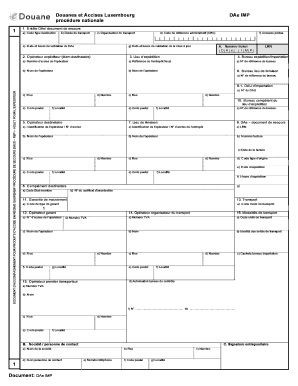
Get Douanes Et Accises Luxembourg Dae Imp Procdure Nationale
How it works
-

Open form follow the instructions
-

Easily sign the form with your finger
-

Send filled & signed form or save
How to fill out the Douanes Et Accises Luxembourg DAe IMP Procdure Nationale online
Filling out the Douanes Et Accises Luxembourg DAe IMP Procdure Nationale is essential for ensuring compliance with transport and customs regulations. This guide provides a clear, step-by-step overview to assist users in accurately completing the form online.
Follow the steps to accurately fill out the form online.
- Use the ‘Get Form’ button to access the document, ensuring you have the necessary details ready for completion.
- Start by filling in the header section (entête) of the form. Include the following fields: type of destination code, duration of transport, organizer of transport, date and time of validation, and administrative reference code (ARC). Make sure to input the ticket number associated with the DAe IMP.
- Next, provide details about the sender and add any required attachments, indicating if there are any annexes attached.
- Fill in the departure location and customs office for export/import, including the excise number and warehouse reference number of the operator.
- Complete the necessary transport details, entering the movement guarantee information and specifying the transport operator’s details.
- In the main body of the DAe, fill in product details, including item number, excise product code, NC code, quantity, gross weight, net weight, and additional product identifiers.
- Review and verify all entered information, ensuring that it is accurate and complies with all requirements.
- Finally, save your changes, and you can choose to download, print, or share the completed form as needed.
Complete your documents online confidently and efficiently.