Loading
Form preview
  • US Legal Forms
  • Form Library
  • More Forms
  • More Uncategorized Forms
  • 2015/2016 Verification - Bellevue University

Get 2015/2016 Verification - Bellevue University

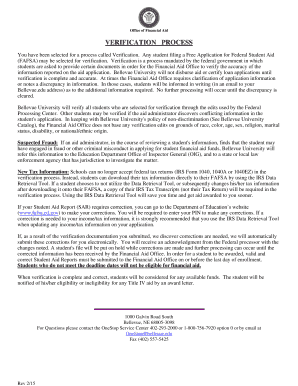
Office of Financial Aid VERIFICATION PROCESS You have been selected for a process called Verification. Any student filing a Free Application for Federal Student Aid (FAFSA) may be selected for verification.

How it works

  1. Open form

    Open form follow the instructions

  2. Easily sign form

    Easily sign the form with your finger

  3. Share form

    Send filled & signed form or save

How to fill out the 2015/2016 Verification - Bellevue University online

Navigating the verification process can seem daunting, but this guide simplifies filling out the 2015/2016 Verification - Bellevue University. By following these step-by-step instructions, users can ensure their financial aid is processed efficiently and accurately.

Follow the steps to successfully complete the verification process.

  1. Press the ‘Get Form’ button to access the verification form and open it for editing.
  2. Begin by completing the 'Student Information' section. Provide your last name, first name, middle initial, address, city, state, zip code, social security number, date of birth, and phone number. Ensure that all information is accurate.
  3. Next, move to the 'Family Information' section. Depending on your status as an independent or dependent student, list the appropriate members of your household based on the instructions provided, ensuring to include yourself and any individuals who depend on you financially.
  4. For 'Tax Forms and Income Information', you must submit your 2014 federal tax information. If you did not use the IRS Data Retrieval Tool during your FAFSA submission, it is essential to provide IRS Tax Transcripts. If applicable, submit the income information requested for both independent and dependent students.
  5. Complete the 'SNAP Information' section if applicable, indicating whether you or your parents received benefits in 2013 or 2014. Attach any requested documentation if necessary.
  6. In the 'Child Support Information' section, provide details regarding any child support payments made or received in 2014. Specify the names and amounts as required. Ensure to check the appropriate boxes.
  7. Finally, complete the certification section by signing and dating the form. If you are a dependent student, a parent must also sign. Review the document for accuracy before submitting.
  8. Once completed, save the form. You can now download, print, or share it as needed. Ensure all required documentation is submitted to the Financial Aid Office for processing.

Start your verification process online today to secure your financial aid and ensure timely processing.

Get form

Experience a faster way to fill out and sign forms on the web. Access the most extensive library of templates available.
Get form

Related content

Report - Nebraska's Coordinating Commission for...
2006 2007 2008 2009 2010 2011 2012 2013 2014 2015 2016 ... enrollment of Hispanic students...
Learn more
2015-16 Course Catalog
2 □ Bellevue College Course Catalog 2015 – 2016 ... that verify the student's low...
Learn more
15_Pascal_News_Sep79 15 Pascal News Sep79
... of test programs to verify the standards-conformance, etc. of a gi ven Pasca 1 compil...
Learn more

Related links form

Omha115 26HFL5830H/27 Philips Healthcare LCD TV. 26" LCD Pro Insinkerator Rebate Datavideo HDR-40 And HDR-50 Instruction Manual.doc

Questions & Answers

Get answers to your most pressing questions about US Legal Forms API.

Contact support

Founded in 1966, Bellevue University is a private, non-profit, regionally accredited institution with a beautiful 46-acre main campus in Bellevue, Nebraska. Bellevue University has graduated over 50,000 students and serves nearly 9,000 students annually at campus locations in four states -- and everywhere online.

BELLEVUE UNIVERSITY, fiscal year ending June 2020 Organization zip codeTax code designationRuling date of organization's tax exempt status68005-3058501(c)(3)1966-02-01

The Bellevue University School Code is 002538. Once you submit your FAFSA, the Department of Education will process your file and send you a Student Aid Report (SAR).

Log in to BRUIN. From the My BRUIN Homepage, select the "Academic Records" tile. From the My Degrees expanded menu which appears, you may select "View Unofficial Transcript", or "Request Official Transcript." "Request Official Transcript" will take you to the official Parchment site to complete a form.

The Federal Tax ID # for Bellevue College is 91-0819265.

Where do I send my transcripts and documents? Electronic transcripts must be sent directly by the institution. You cannot download and view, mail or forward electronic transcripts. Electronic transcripts and documents should be emailed to: enrollment@bellevuecollege.edu.

The Bellevue University School Code is 002538. Once you submit your FAFSA, the Department of Education will process your file and send you a Student Aid Report (SAR).

Get This Form Now!

Use professional pre-built templates to fill in and sign documents online faster. Get access to thousands of forms.
Get form
If you believe that this page should be taken down, please follow our DMCA take down processhere.
Get 2015/2016 Verification - Bellevue University
Get form
  • Adoption
  • Bankruptcy
  • Contractors
  • Divorce
  • Home Sales
  • Employment
  • Identity Theft
  • Incorporation
  • Landlord Tenant
  • Living Trust
  • Name Change
  • Personal Planning
  • Small Business
  • Wills & Estates
  • Packages A-Z
  • Affidavits
  • Bankruptcy
  • Bill of Sale
  • Corporate - LLC
  • Divorce
  • Employment
  • Identity Theft
  • Internet Technology
  • Landlord Tenant
  • Living Wills
  • Name Change
  • Power of Attorney
  • Real Estate
  • Small Estates
  • Wills
  • All Forms
  • Forms A-Z
  • Form Library
  • Legal Hub
  • About Us
  • Help Portal
  • Legal Resources
  • Blog
  • Affiliates
  • Contact Us
  • Delete My Account
  • Site Map
  • Industries
  • Forms in Spanish
  • Localized Forms
  • State-specific Forms
  • Forms Kit
  • Real Estate Handbook
  • All Guides
  • Notarize
  • Incorporation services
  • For Consumers
  • For Small Business
  • For Attorneys
  • USLegal
  • FormsPass
  • pdfFiller
  • signNow
  • altaFlow
  • DocHub
  • Instapage
Form Packages
  • Adoption
  • Bankruptcy
  • Contractors
  • Divorce
  • Home Sales
  • Employment
  • Identity Theft
  • Incorporation
  • Landlord Tenant
  • Living Trust
  • Name Change
  • Personal Planning
  • Small Business
  • Wills & Estates
  • Packages A-Z
Form Categories
  • Affidavits
  • Bankruptcy
  • Bill of Sale
  • Corporate - LLC
  • Divorce
  • Employment
  • Identity Theft
  • Internet Technology
  • Landlord Tenant
  • Living Wills
  • Name Change
  • Power of Attorney
  • Real Estate
  • Small Estates
  • Wills
  • All Forms
  • Forms A-Z
  • Form Library
Customer Service
  • Legal Hub
  • About Us
  • Help Portal
  • Legal Resources
  • Blog
  • Affiliates
  • Contact Us
  • Delete My Account
  • Site Map
  • Industries
  • Forms in Spanish
  • Localized Forms
  • State-specific Forms
  • Forms Kit
Legal Guides
  • Real Estate Handbook
  • All Guides
Prepared for you
  • Notarize
  • Incorporation services
Our Customers
  • For Consumers
  • For Small Business
  • For Attorneys
Our Sites
  • USLegal
  • FormsPass
  • pdfFiller
  • signNow
  • altaFlow
  • DocHub
  • Instapage
Social Media
Call us now toll free:
+1 833 426 79 33
As seen in:
© Copyright 1999-2026 airSlate Legal Forms, Inc. 3720 Flowood Dr, Flowood, Mississippi 39232
  • Your Privacy Choices
  • Terms of Service
  • Privacy Notice
  • Content Takedown Policy
  • Bug Bounty Program