Loading
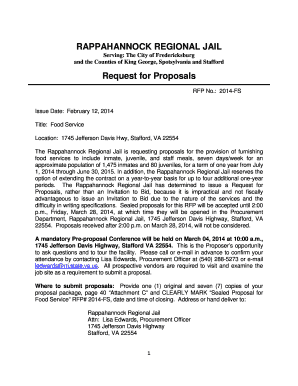
Get Rappahannock Regional Jail Inmates
How it works
-

Open form follow the instructions
-

Easily sign the form with your finger
-

Send filled & signed form or save
How to fill out the Rappahannock Regional Jail Inmates online
This guide provides a clear and supportive overview on how to properly fill out the Rappahannock Regional Jail Inmates form online. Following these steps will help ensure that your submission is complete and accurate.
Follow the steps to successfully complete the Rappahannock Regional Jail Inmates form.
- Press the 'Get Form' button to access the form and open it in your document editor.
- Begin by entering the inmate's details in the designated fields. This may include their name, ID number, and other identifying information. Ensure all information is accurate and complete to prevent processing delays.
- Review any related sections that require input about the individual submitting the form. Fill in your details accurately, including name, relationship to the inmate, and contact information.
- Follow any instructions regarding signatures or additional documents you might need to attach. Make sure all required fields are filled out.
- Once all fields are completed, review the entire form for any errors or omissions. Correct any mistakes to ensure your submission is valid.
- Finally, save your changes. You may also choose to download or print the form for your records. If needed, share the document according to the provided instructions.
Complete your paperwork online now to ensure a smooth and efficient processing experience.
Call the county jail or clerk of courts office. These numbers will be on the county jail's website or in your local phone book. If you are unsure about which county the person you are looking for has been arrested in, you may need to call several different offices.
Industry-leading security and compliance
US Legal Forms protects your data by complying with industry-specific security standards.
-
In businnes since 199725+ years providing professional legal documents.
-
Accredited businessGuarantees that a business meets BBB accreditation standards in the US and Canada.
-
Secured by BraintreeValidated Level 1 PCI DSS compliant payment gateway that accepts most major credit and debit card brands from across the globe.