Loading
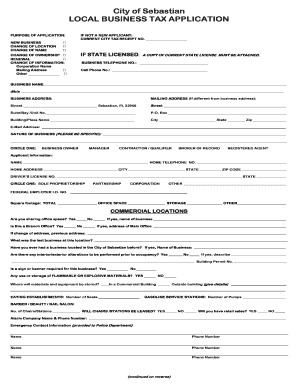
Get City Of Sebastian Local Business Tax Application
How it works
-

Open form follow the instructions
-

Easily sign the form with your finger
-

Send filled & signed form or save
How to fill out the City Of Sebastian LOCAL BUSINESS TAX APPLICATION online
This guide provides a clear and supportive approach to completing the City Of Sebastian Local Business Tax Application online. By following these instructions, users will successfully navigate each section of the form.
Follow the steps to complete your application with ease.
- Click ‘Get Form’ button to obtain the application form and open it for editing.
- Begin by indicating the purpose of your application. If you are a new business, select 'New Business.' If you are changing location or name, or if you are renewing or changing ownership, ensure you select the appropriate option.
- Provide your current city tax receipt number if you are not a new applicant, and submit a copy of your current state license if applicable.
- Fill out your business contact information, including the business telephone number, cell phone number, and email address.
- Enter your business name and any doing-business-as (d/b/a) names along with the respective business address. If your mailing address is different, provide those details as well.
- Describe the nature of your business specifically. This helps to provide clarity for regulatory purposes.
- Select your role by circling one of the following options: business owner, manager, contractor/qualifier, broker of record, or registered agent.
- Complete the applicant information section, including your name, home telephone number, address, and driver's license number. Indicate your business structure (sole proprietorship, partnership, corporation, or other).
- Provide details such as square footage and whether your location shares office space. If your business involves alterations or signage, answer the relevant questions.
- If applicable, complete sections related to specific business types, such as eating establishments, gasoline service stations, and home-based businesses.
- Review all sections for accuracy, and ensure that you sign and date the application, acknowledging the truthfulness of the information provided.
- After completing the form, you can save changes, download, print, or share the document as necessary.
Start filling out your Local Business Tax Application online today to ensure your business is properly registered!
Renew online or call the Miami-Dade Tax Collector's Office at 305-270-4949. The Tax Collector's Office is located at 200 NW 2nd Avenue, Miami, Florida 33128. Upon renewing your Local Business Tax Receipt, your vendor status will be activated.
Industry-leading security and compliance
US Legal Forms protects your data by complying with industry-specific security standards.
-
In businnes since 199725+ years providing professional legal documents.
-
Accredited businessGuarantees that a business meets BBB accreditation standards in the US and Canada.
-
Secured by BraintreeValidated Level 1 PCI DSS compliant payment gateway that accepts most major credit and debit card brands from across the globe.