Loading
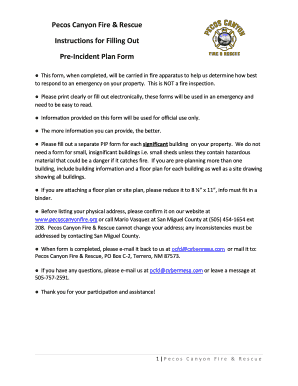
Get Pre-incident Plan Form
How it works
-

Open form follow the instructions
-

Easily sign the form with your finger
-

Send filled & signed form or save
How to fill out the Pre-Incident Plan Form online
Completing the Pre-Incident Plan Form is an essential step in preparing for emergencies on your property. This guide provides clear and practical instructions to help you fill out the form online efficiently and accurately.
Follow the steps to complete the form successfully.
- Press the 'Get Form' button to obtain the Pre-Incident Plan Form and open it in your editing tool.
- Begin by filling out the General section. Provide your name and the date you completed the form. If applicable, include any updates to the form's information.
- Move on to the Location Information section. Enter the complex, ranch, or business name, owner's name, and mailing address including city and state. Indicate whether the location is a residence, business, or both.
- In the Contact Information section, list your name, title, phone number, cell number, email, and after-hours contact if applicable. Additionally, select the applicable roles such as owner, occupant, or key holder.
- Fill out the Access/Site Information section, providing driving directions to the property, any gate combination or key location, and access concerns. Indicate if there is a nearby open field for helicopter landing, and provide any relevant additional information.
- Complete the Fire Fighting Water Supply section by indicating the presence of fire hydrants, water storage tanks, or other water sources. Provide their locations and how many gallons they can contain. Confirm if permission is granted for emergency use of the water supply.
- For Building Information, describe each significant building on your property. Include the building name, physical address, roof type, number of exits, stairways, and occupancy details. Answer questions regarding defensible space, evacuation plans, and occupants requiring assistance.
- Continue with Exposures, detailing any immediate threats to other structures in case of fire and their separation distances. Fill out the Utility Service Information section by identifying service types and shutoff locations.
- In the Fire Protection Equipment section, indicate whether there is a fire alarm system, its type, location, and the number of zones. Include details about any sprinklers or other fire protection systems present.
- If applicable, answer questions regarding Hazard Material Storage and provide storage details for significant quantities of hazardous materials.
- Finally, include a Building Sketch if required by the form and elevate any major response concerns for fire department personnel.
- Once you finish filling out the form, you can save your changes, download, print, or share the document as needed.
Complete your Pre-Incident Plan Form online today to ensure preparedness for emergencies.
A Pre-incident Plan is comprised of written information including maps, diagrams and drawings. Building walkthroughs by firefighters also are an important component of the planning process.