Loading
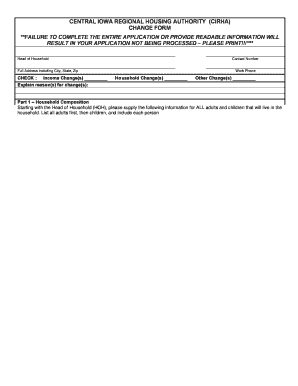
Get Change Form Please Complete Both Sides Of Form - Central Iowa ...
How it works
-

Open form follow the instructions
-

Easily sign the form with your finger
-

Send filled & signed form or save
How to use or fill out the CHANGE FORM Please Complete Both Sides Of Form - Central Iowa ... online
Filling out the CHANGE FORM for Central Iowa is a vital step in processing your application accurately. This guide provides clear, step-by-step instructions to help users navigate the form effectively, ensuring that all necessary information is completed correctly.
Follow the steps to complete the CHANGE FORM online.
- Press the ‘Get Form’ button to obtain the form and open it in your preferred editor.
- Begin by entering the head of household's name, contact number, full address including city, state, and zip code, and work phone number. Ensure to double-check the accuracy of this information.
- Indicate any income changes by checking the relevant box and provide an explanation for the changes in the provided field.
- Fill out Part 1 – Household Composition by listing all members of the household, starting with the head of household. Make sure to include each person's first name, middle initial, last name, date of birth, and age.
- In Part 2 – Income Information, circle 'Yes' or 'No' for each income category. If 'Yes', complete the additional details requested, including the type of income and employer information.
- Proceed to Part 3 – Asset Information. For each family member, indicate if they have specific assets and provide the required information about the asset type and bank details if applicable.
- In Part 4 – Childcare Expenses, specify any childcare or disability assistance expenses you incur. List the family member needing care, the provider, and the amount paid.
- If applicable, complete Part 5 – Medical Expenses, detailing any medical costs incurred by elderly or disabled family members.
- Review the privacy statement to acknowledge the legal importance of providing truthful information.
- Lastly, sign and date the form in the signature section, ensuring each responsible party provides their signature.
- Once all sections are filled out, save the changes, download a copy for your records, and print or share the completed form as needed.
Complete your documents online today to ensure timely processing!
To update your address, please contact Customer Service at 1-866-239-0843 or email uiclaimshelp@iwd.iowa.gov. You will be provided a confirmation number after you have submitted your weekly claim. You must keep this number for your records.
Industry-leading security and compliance
US Legal Forms protects your data by complying with industry-specific security standards.
-
In businnes since 199725+ years providing professional legal documents.
-
Accredited businessGuarantees that a business meets BBB accreditation standards in the US and Canada.
-
Secured by BraintreeValidated Level 1 PCI DSS compliant payment gateway that accepts most major credit and debit card brands from across the globe.