Loading
Get Medicaid - Disability Application
How it works
-

Open form follow the instructions
-

Easily sign the form with your finger
-

Send filled & signed form or save
How to fill out the Medicaid - Disability Application online
Filling out the Medicaid - Disability Application online can help streamline the process of obtaining necessary benefits for individuals with disabilities. This guide offers clear, step-by-step instructions to assist you in completing the application accurately and efficiently.
Follow the steps to complete the Medicaid - Disability Application.
- Press the ‘Get Form’ button to access the Medicaid - Disability Application form and open it in your chosen editor.
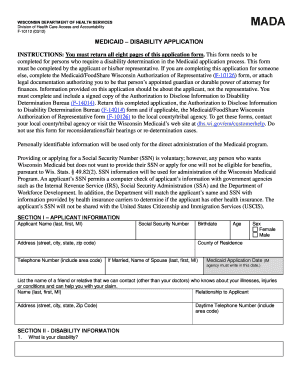
- Begin with Section I, which collects the applicant's personal information. Enter the applicant's name, Social Security Number, address, telephone number, birthdate, age, sex, and county of residence. If applicable, include details about their spouse and a contact person who can provide information about the applicant's condition.
- Proceed to Section II, which requires information about the disability. Describe the type of disability, when it first prevented the applicant from working, and how it affects daily activities. Indicate if an application for Social Security Disability or Supplemental Security Income was submitted and provide relevant dates and outcomes.
- In Section III, give details on medical records. This includes the name and contact information of the primary doctor, frequency of visits, and the reason for those visits. Document any other professionals consulted in the past two years as well.
- Continue to list any hospital visits or treatments related to the disability in Section III. Provide information on hospitalization, outpatients visits, and any tests completed in the past year (like MRIs or blood tests).
- Section IV requests education information. Indicate the highest grade level completed, participation in special education, and any vocational training. Provide specific details as necessary.
- For Section V, answer questions regarding work history. If currently employed, fill in employer details, hours worked per week, and pay rate. Additionally, list all previous jobs held in the last 15 years and relevant responsibilities.
- Use Section VI for any additional relevant information that was not covered in previous sections. This could include details about other illnesses or additional medical professional interactions.
- In Section VII, if assistance was required in completing the form, provide the helper's name and contact information.
- Finally, complete Section VIII with signatures from both the applicant and any authorized representative if applicable. Include witnesses if the applicant used an 'X' for their signature.
- After filling out the form, save your progress. You can download, print, or share the completed application as needed before submitting it to the appropriate local agency.
Start the process of securing Medicaid benefits by completing the Medicaid - Disability Application online today.
Online. You can apply online using the ACCESS website. ... Phone. You can apply by phone by calling your income maintenance or tribal agency during their regularly scheduled hours. In Person. You can apply by going to your income maintenance or tribal agency during their regularly scheduled office hours. Mail.