Loading
Get Enrollment Form - Providers Amerigroup
How it works
-

Open form follow the instructions
-

Easily sign the form with your finger
-

Send filled & signed form or save
How to fill out the Enrollment Form - Providers Amerigroup online
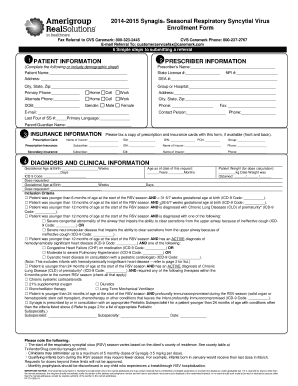
Filling out the Enrollment Form - Providers Amerigroup is essential for healthcare providers seeking to enroll patients for during the respiratory syncytial virus season. This guide provides clear, step-by-step instructions to assist you in completing the form accurately and efficiently.
Follow the steps to successfully complete the enrollment form.
- Click ‘Get Form’ button to obtain the form and access it for filling.
- Begin by completing the Patient Information section. Fill in the patient’s name, date of birth, gender, and address. Ensure to include the last four digits of the Social Security Number and primary language.
- Proceed to the Insurance Information section. Indicate the name of the insurance provider, ID number, BIN, and PCN. Make sure to include both primary and any secondary insurance details.
- Review all the information you have inputted to ensure accuracy and completeness. Once you have confirmed that everything is correct, save your changes.
- Finally, download, print, or share the completed form according to your needs, and ensure to fax or email it to the designated contacts if required.
Start completing your Enrollment Form - Providers Amerigroup online today!
Call 1-877-782-6440 (TTY 711 or 1-800-735-2989), Monday through Friday 8 a.m. to 6 p.m. Central time.