Loading
Get Commercial
How it works
-

Open form follow the instructions
-

Easily sign the form with your finger
-

Send filled & signed form or save
How to fill out the Commercial online
Filling out the Commercial application online is an essential step for ensuring compliance with municipal building codes. This guide provides comprehensive instructions to help all users navigate through the form easily and accurately.
Follow the steps to complete the Commercial application efficiently.
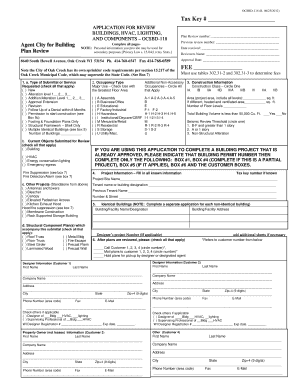
- Click ‘Get Form’ button to obtain the form and open it in your online editor.
- Begin with Section 1, where you will specify the type of submittal or service requested by checking all relevant boxes. Provide the Tax Key number and ensure to include the type of current objects submitted for review.
- In Section 2, indicate the occupancy type by checking the option that corresponds to the major use of the building. Make sure to circle the appropriate construction class and applicable occupancies.
- Complete Section 3 by providing detailed construction information. Indicate the project’s area, the number of floors, and whether the total building volume exceeds 50,000 cubic feet. This section is critical for determining plan review requirements.
- In Section 4, check any other projects that are standalone to this submission. Provide additional project information like tenant name and address as well as the project/site name.
- Fill out the designer and property owner information in their respective sections. Ensure to include first name, last name, company name, address, phone number, and email.
- Section 7 requires you to submit fire protection plans if applicable. It is recommended to contact the local fire department for specific requirements related to fire suppression and alarm plans.
- Review Section 9 where necessary signatures must be affixed. Ensure the supervising professional and designer's statements are signed to affirm compliance with the code requirements.
- Finally, complete the fee calculation instructions in Section 11. Determine the fees based on the sizes listed in provided tables and ensure that the total amount is clearly calculated.
- Upon completion, you can save changes, download the document, print it, or share it with relevant stakeholders for further action.
Start filling out your Commercial application online today to ensure your project complies with all necessary regulations.
Commercial generally relates to anything business or commerce. A commercial is an advertisement for a business. Commercial activity is selling goods or services for profit.
Industry-leading security and compliance
US Legal Forms protects your data by complying with industry-specific security standards.
-
In businnes since 199725+ years providing professional legal documents.
-
Accredited businessGuarantees that a business meets BBB accreditation standards in the US and Canada.
-
Secured by BraintreeValidated Level 1 PCI DSS compliant payment gateway that accepts most major credit and debit card brands from across the globe.