Loading
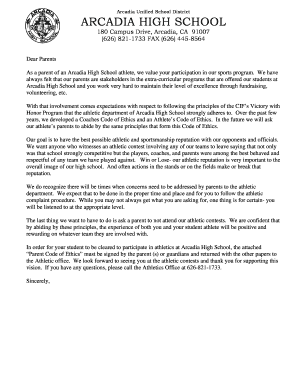
Get Athletic Clearance Packet - Arcadia High School - Athletic
How it works
-

Open form follow the instructions
-

Easily sign the form with your finger
-

Send filled & signed form or save
How to fill out the Athletic Clearance Packet - Arcadia High School - Athletic online
Filling out the Athletic Clearance Packet for Arcadia High School is an essential step for students wishing to participate in athletics. This guide provides a clear, step-by-step process to ensure all necessary information is accurately submitted online.
Follow the steps to complete the Athletic Clearance Packet.
- Press the ‘Get Form’ button to acquire the Athletic Clearance Packet and open it for editing.
- Begin by entering the student's details including 'Student Last Name', 'Student First Name', 'Student Email', 'Class of', and 'ID #'.
- Input the parent or guardian information for Parent (1) and Parent (2), including their names, emails, and phone numbers.
- Provide the home address of the student, including 'Street Address', 'City', 'State', and 'Zip'.
- Check all activities that apply from the provided list, ensuring you have selected the correct sports.
- Complete the various clearance forms including the Athletic Booster Membership Form, Eligibility Clearance Form, Emergency Contact Form, Student Code of Ethics, and Parent Code of Ethics.
- Sign and date the required forms as indicated for both the student and parent(s). Ensure all necessary signatures are included.
- Once all fields are filled out and signed, save your changes. You may now download, print, or share the completed forms as needed.
Complete the Athletic Clearance Packet online to ensure your student is ready to participate in sports.
Related links form
A: If you create a clearance that you do not need (duplicate clearances, decided not to play a sport, etc) and the status of the clearance is “uncleared”, you can delete the clearance by clicking on the red “X” to the far right of the clearance.