Loading
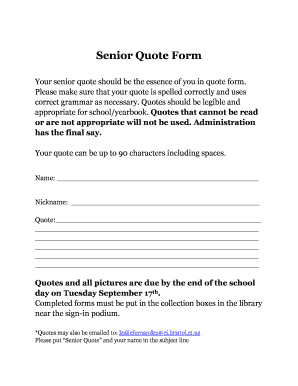
Get Senior Quote Form - Bristol Public Schools
How it works
-

Open form follow the instructions
-

Easily sign the form with your finger
-

Send filled & signed form or save
How to fill out the Senior Quote Form - Bristol Public Schools online
Filling out the Senior Quote Form is an important step for students to express their individuality during their senior year. This guide provides clear and concise instructions for successfully completing the form online, ensuring your quote is appropriately submitted and presented.
Follow the steps to complete your Senior Quote Form
- Press the ‘Get Form’ button to access the Senior Quote Form and open it for editing.
- In the designated 'Name' field, enter your full legal name as it should appear in school records.
- In the 'Nickname' field, provide a preferred name or nickname that you would like to be used.
- In the 'Quote' section, write your chosen quote with a maximum length of 90 characters, including spaces. Ensure that it is legible and suitable for a school context.
- Review your quote for any spelling or grammatical errors. It is essential to double-check for clarity and appropriateness.
- Once you are satisfied with your entries, proceed to save your changes. You may also choose to download or print your completed form if necessary.
- Submit your completed form by either placing it in the collection boxes located in the library near the sign-in podium or by emailing it to lesliefernandez@ci.bristol.ct.us with 'Senior Quote' and your name in the subject line.
Take the time now to fill out your Senior Quote Form online and make your voice heard!
West Bristol School is a public school located in BRISTOL, CT. It has 843 students in grades K-8 with a student-teacher ratio of 13 to 1.