Loading
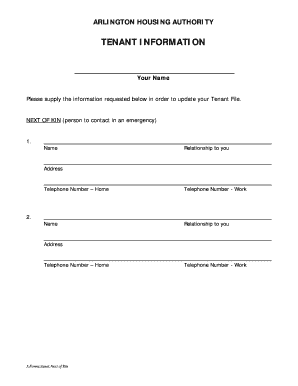
Get Next Of Kin Forms Printable
How it works
-

Open form follow the instructions
-

Easily sign the form with your finger
-

Send filled & signed form or save
How to fill out the Next Of Kin Forms Printable online
This guide will assist you in completing the Next Of Kin Forms Printable online efficiently and accurately. By following the steps outlined below, you will ensure that your emergency contact information is correctly recorded for future reference.
Follow the steps to complete your Next Of Kin Forms Printable.
- Click ‘Get Form’ button to access the form and open it in the editor.
- In the section labeled ‘Next of Kin (person to contact in an emergency),’ begin by providing the full name of your primary emergency contact in the designated field.
- Next, indicate their relationship to you by selecting or writing their connection, such as ‘parent,’ ‘partner,’ or ‘friend’.
- Fill in the complete address of your emergency contact in the provided address field to ensure accurate location details.
- Enter the home telephone number of your emergency contact in the respective field for immediate reachability.
- If applicable, enter a work telephone number of your emergency contact in the specified field to provide additional contact options.
- Repeat steps 2 through 6 for a second emergency contact if needed, filling in their name, relationship, address, and telephone numbers.
- Once all information is accurately entered, review the details for completeness and correctness.
- You can then save changes, download the filled document, print, or share the form as required.
Start filling out your Next Of Kin Forms Printable online today to ensure your emergency contacts are up to date.
Yes: STOP HERE: Each living sibling is the “next of kin.”