Loading
Get Rachel Dultz
How it works
-

Open form follow the instructions
-

Easily sign the form with your finger
-

Send filled & signed form or save
How to fill out the Rachel Dultz online
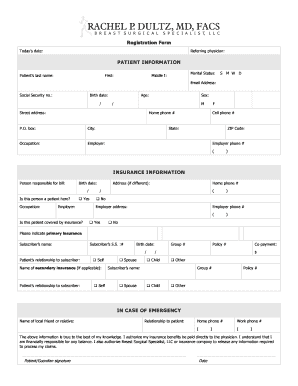
Filling out the Rachel Dultz registration form online is a straightforward process that allows patients to provide necessary information efficiently. This guide provides you with a step-by-step walkthrough, ensuring that you complete each section accurately.
Follow the steps to fill out the form correctly.
- Click the ‘Get Form’ button to obtain the registration form. This will enable you to access and open the document in an online editor.
- Enter today's date in the designated field at the top of the form. This information is crucial for record-keeping purposes.
- Complete the referring physician section by providing their name, which helps in directing your care appropriately.
- In the patient information section, fill out your last name, first name, middle initial, marital status, email address, social security number, birth date, age, and sex.
- Provide your street address, P.O. box (if applicable), city, state, and ZIP code. Additionally, include your occupation and employer's name, followed by any relevant phone numbers.
- In the insurance information section, indicate who is responsible for the bill, along with their birth date and whether they are a patient here. If they are not a patient, enter their address and phone number.
- Confirm if this patient is covered by insurance by checking 'Yes' or 'No'. Provide details of your primary insurance, including the subscriber's name, social security number, and their relationship to you.
- If there is secondary insurance, enter its details similarly, including the subscriber’s name and policy numbers.
- Fill out the emergency contact section by providing the name, relationship, and contact numbers of a local friend or relative.
- Review the statement at the end of the form confirming the accuracy of the information provided. After that, sign where indicated and date the document.
- Once all sections are filled out correctly, save your changes, and consider downloading, printing, or sharing the form as needed.
Complete your registration forms online quickly and efficiently.