Loading
Get Circles Chapter 12 Test Form A
How it works
-

Open form follow the instructions
-

Easily sign the form with your finger
-

Send filled & signed form or save
How to fill out the Circles Chapter 12 Test Form A online
Completing the Circles Chapter 12 Test Form A online can be straightforward with the right guidance. This guide provides detailed instructions to help you navigate each section of the form effectively.
Follow the steps to complete the form accurately.
- Click the ‘Get Form’ button to access the form and open it in the editor.
- Begin by entering your name in the designated field. Ensure that your name is spelled correctly, as this identifies your submission.
- Fill in your class information by locating the appropriate section for class designation. Input your class name or number as required.
- Record the date in the specified field. Use the format requested to avoid any confusion regarding the submission date.
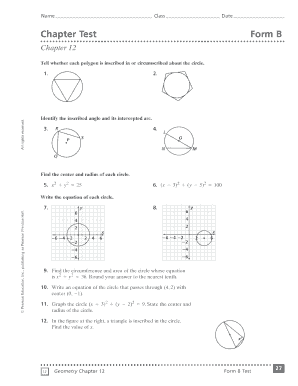
- Proceed to the first question regarding polygons. Indicate whether each polygon is inscribed in or circumscribed about the circle by filling in the correct responses.
- For identifying the inscribed angle and its intercepted arc, make sure to clearly state your answers in the designated sections provided for questions two and three.
- In the following questions, determine the center and radius of the circles described by the equations. Carefully input your calculated values in the appropriate fields.
- After filling out the questions related to the equations of circles, ensure you perform any calculations needed for finding circumference and area, documenting your answers clearly.
- Once all entries have been completed, review your answers for accuracy. Look for any mistakes or omissions before proceeding.
- Finally, save your changes, and choose the options to download, print, or share the form as needed to submit or retain your completed work.
Start filling out the Circles Chapter 12 Test Form A online today!